
LexiTechly - 智慧英文內容分析
By sun055676
使用 Google Gemini AI 分析英文網頁內容,提供 CEFR 等級評估、單字解析、AI 互動對話與語音發音功能,提升您的英文閱讀與學習體驗!
Time on the storeAbout 1 to 3 yearsA rough range, not an exact date
Store users31As shown on the Chrome Web Store
Chrome Web Store rating5.0 / 55 ratings on the Chrome Web Store
Last store update17 Dec 2025Version 1.4.1, 10 months ago
Inside the extension
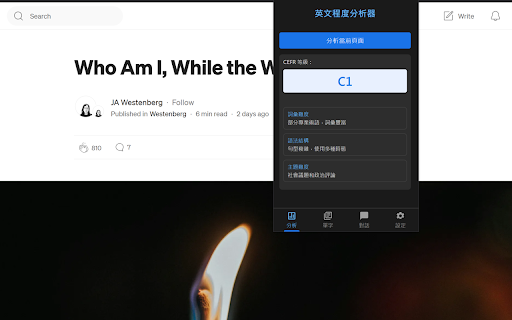 Product image 1 of 5
Reviews
Loading reviews…
The maker
sun055676 has 3 listings on the store. Updates now and then.
- Listings
- 3
- Combined store users
- ≈635
- Store Featured
- 0
- Updated in the last 90 days
- 1 of 3
- PostVault - Download Everything598 users · updated 6 days ago
- iT邦幫忙輔助工具6 users · updated 13 months ago


Combined users can count the same person more than once. See all 3 listings
Ext Watch AI
Should you build in this niche?
One research report for LexiTechly - 智慧英文內容分析. Reports come with Plus, Pro and Max.
- Takeaway & demandCited takeaway and search volumes
- Traffic & domainPopularity rank, visits and authority
- Money & pricingPlans and prices from the maker’s site
- ReviewsComplaints and praise, quoted
- Competitors & ranksRank against the closest listings
- Build opportunityWhat to build and how to position it
- Every number shows its source and date
- Ready in a minute or two
- Report and PDF yours for 30 days


