Skip to content
Ask Claude about any Chrome extension, answered with Ext Watch data. See how →
Workflow & Planning extension

Adobe Acrobat: PDF edit, convert, sign tools

Do more in Google Chrome with Adobe Acrobat PDF tools. View, fill, comment, sign, and try convert and compress tools.

by Adobe, Inc. · 16 listings·adobe.com

Add to RadarChrome Web Store Free plan tracks 1 extension · no card
extwatch.com/extensions/adobe-acrobat-pdf-edit-convert-sign-tools-efaidnbmnnnibpcajpcglclefindmkaj
Adobe AcrobatAdobe, Inc. · Workflow & PlanningHigh access
Users
350M+
#1 of 50,583 in category
Rating
4.37
64,790 ratings · median 4.38
Version
26.10.2.2
5.68 MiB · Manifest V3
Access
High95/100
15 permissions + every website
From the store listing

Screenshots

5 images from the publisher · use the arrows or pick one · swipe or pick one

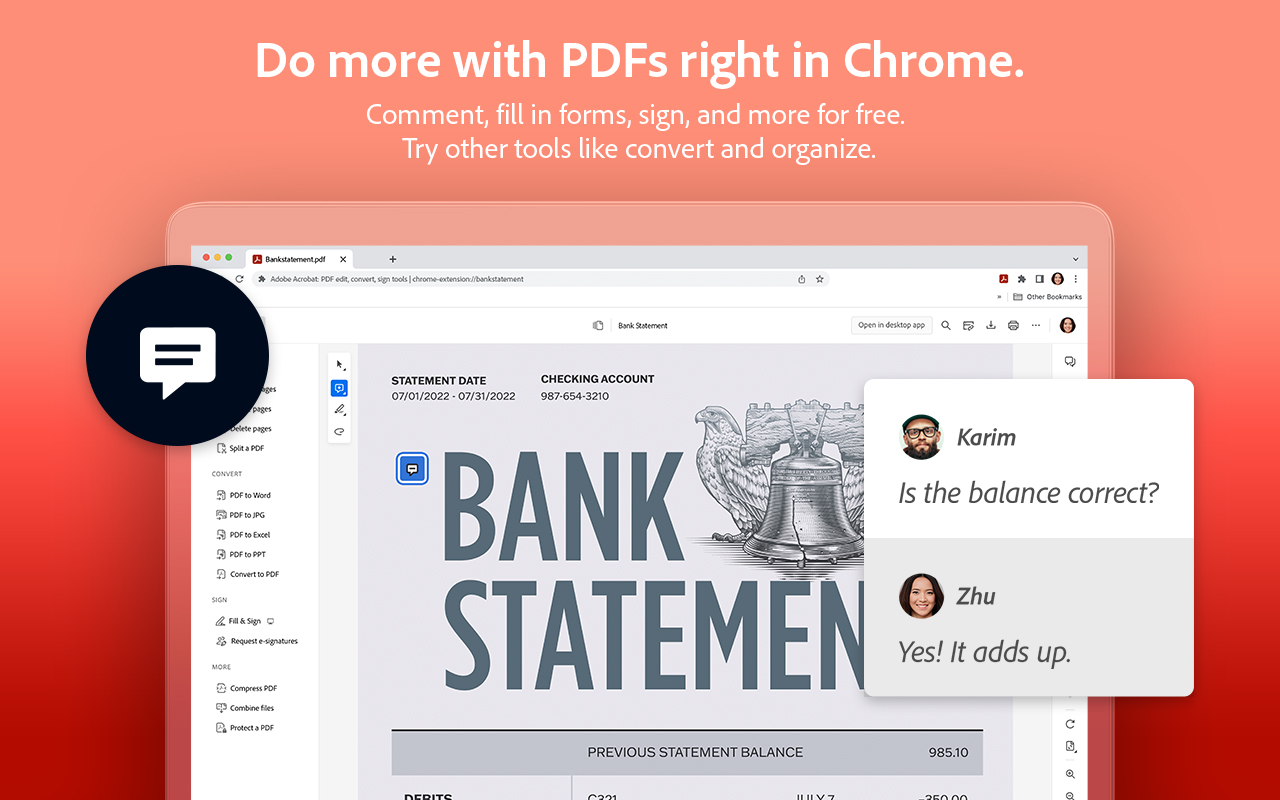
Adobe Acrobat: PDF edit, convert, sign tools screenshot 1Adobe Acrobat: PDF edit, convert, sign tools screenshot 2Adobe Acrobat: PDF edit, convert, sign tools screenshot 3Adobe Acrobat: PDF edit, convert, sign tools screenshot 4Adobe Acrobat: PDF edit, convert, sign tools screenshot 5
1 / 5

Description

As written by the publisher on the store

Adobe Acrobat is the industry-leading PDF solution, used by millions of people. Use Acrobat PDF tools right in Google Chrome to get the best PDF viewing experience and get more done while browsing. You can add comments to PDFs, including sticky notes, text, and highlights—all for free.

If you need more advanced Acrobat features, you can try tools to export to and from PDF, create a PDF, merge PDF documents, organize a PDF, reduce PDF size, and more. Working with PDFs online has never been so easy.

  • HOW TO USE THE ACROBAT CHROME EXTENSION
  • Install the Acrobat extension for Chrome.
  • Pin the extension for quick access.
  • Open any PDF in your browser.
  • Select an Acrobat tool.
  • VIEW, DOWNLOAD, PRINT, and STORE PDFs
  • Get the best PDF viewing experience with the Acrobat PDF reader.
  • Download or print with a quick click.
  • Sign in to store your files online for fast access to PDF files from anywhere.
  • EDIT PDFs WITH COMMENTS FOR FREE
  • Add PDF notes, text, and comments, including sticky notes and highlights.
  • Write on PDF documents by adding text or drawings using PDF editor features.
  • FILL AND SIGN FORMS FOR FREE
  • Open a PDF in Adobe Acrobat Reader to fill and sign forms on your desktop.
  • Easily complete PDF forms with the Acrobat form filler feature.
  • E-sign documents with your signature or initials.
  • TRY TOOLS TO BE MORE PRODUCTIVE IN CHROME
  • Try premium tools for even more PDF power.
  • Use our PDF converter tool to convert PDFs to and from Microsoft Word, Excel, and PowerPoint, as well as JPG and other file formats.
  • Create a PDF from a document or image, including converting JPG to PDF.
  • Combine files into a single PDF file or split a PDF.
  • Organize your PDF. Delete, rotate, or reorder PDF pages.
  • Compress a PDF to reduce its file size.
  • Send documents to others to e-sign online fast.
  • Protect a PDF document by adding a password.
  • You can also sign up for a free trial at https://www.adobe.com/tryacrobat.
  • WHAT’s NEW:
  • Edit your PDFs in Acrobat Chrome Viewer
  • Fill and Sign forms for free
  • Support for opening local PDF files in extension

Terms & Conditions: Your use of this application is governed by the Adobe General Terms of Use (http://www.adobe.com/go/terms_en) and the Adobe Privacy Policy (http://www.adobe.com/go/privacy_policy_en) and any successor versions thereto.

Ratings and reviews

Split of the 35,878 written reviews we hold
Reviews on the store
4.3764,790 ratings on the store
35,878 written reviews we hold
5 ★75.4%27,037
4 ★14.1%5,066
3 ★2.8%994
2 ★2.0%708
1 ★5.8%2,073
Narayanasamy Mailaiya

DAY TODAY USE.ESSENTIAL.WITHOUT THIS DIFFICULT TO PROCEED.

ana lópez gómez

Es una aplicación muy cómoda para trabajar

Arnold Baccan

excelente aplicativo para utilização de documentos e impressão

Maciej Szelagowski

Używam od lat, jestem bardzo zadowolony!

Oscar Raul Higuita Cañola

Gracias por la Aplicación es excelente, muy ágil a la hora que la necesito usar

Sean Brown

Clunky. Slows down my workflow and adds unnecessary steps to processing PDF's.

Radar

Track Adobe Acrobat on Radar

This page shows the listing as it is today. Add it to Radar and get one email when it changes.

  • Users and rating
  • Store text and screenshots
  • Permissions it asks for
Free plan tracks 1 extension · no card
Ext Watch Radar watchlist cards showing tracked extensions with users, rating, version and latest store change
Guide

Adobe Acrobat, in plain words

What it is, what to use instead, what it can access and how to fix it.

At a glance

Adobe Acrobat at a glance

Adobe Acrobat: PDF edit, convert, sign tools is a Workflow & Planning extension by Adobe, Inc. with 350M users. Chrome Web Store users rate it 4.37 out of 5 from 64,790 ratings. By users it sits in the top 1% of Workflow & Planning extensions.

By users
#1of 50,583 in Workflow & Planning
Rating
4.37category median 4.38
Access
High95 of 100

Adobe Acrobat alternatives

Closest by what they do · users as the store shows them · bars on a log scale
Adobe Acrobat350M4.37 ★
Soda PDF Viewer: Edit, Convert, Compress PDF files1M3.9 ★Foxit PDF Editor Cloud: Edit and Convert20K2.7 ★Zone PDF: Edit and Convert PDFs10K2.4 ★PDF Combine - Convert and Merge10K4.2 ★PDF Viewer Pro - View, Edit, Fill, Convert, Sign, and More5K4.4 ★
Permissions

Is Adobe Acrobat safe?

Adobe Acrobat asks for 15 permissions and access to every website. 8 of them give wide access.

Permissions show what it could do, not what it does. See the full permission list.

95/ 100High access
Adobe Acrobat15 permissions · 8 wide
  • <all_urls>Read and change data on every website
  • tabsSee the address and title of every open tab
  • downloadsManage your downloads
  • nativeMessagingTalk to programs installed on your computer
  • webRequestWatch the web traffic your browser sends

Every permission Adobe Acrobat asks for

15 permissions + every website · 8 sensitive · High access overall

Sites

  • Read and change data on every website<all_urls>

Browser permissions · 15

  • See the address and title of every open tabtabs
  • Manage your downloadsdownloads
  • Talk to programs installed on your computernativeMessaging
  • Watch the web traffic your browser sendswebRequest
  • Follow every page you openwebNavigation
  • Read and change site cookies, including loginscookies
  • Ask for your Google account sign-inidentity
  • Add items to the right-click menucontextMenus
  • Save its own settingsstorage
  • Run its code on pages it can accessscripting
  • Run tasks on a schedulealarms
  • Run hidden helper pagesoffscreen
  • Open in the side panelsidePanel
  • Block or redirect requests with set rulesdeclarativeNetRequest
  • Read and save files you pickfileSystem

Sensitive marks access that reaches your data or other sites. The access level is a 0 to 100 score of all of it: under 25 is Low, 60 and up is High.

Troubleshooting

Adobe Acrobat not working?

What recent reviews say

Store reviews from the last 90 days
230 of 1,470gave 1 or 2 stars
1–2 stars 3–5 stars
slow, crashing or heavy5 of 39
privacy or trust worries2 of 39

Themes in the 39 most recent low reviews. One review can raise more than one.

Common fixes

Try them in this order
  1. 1Update Chrome and the extension
  2. 2Turn it off and on in chrome://extensions
  3. 3Reload the page
  4. 4Turn other extensions off in case two clash

Still stuck? Contact the maker or try an alternative.

297,753 Chrome extensions in one place

Know when a listing changes

Track any extension on Radar: users, rating, permissions and store text, with one email when something moves.

No credit card neededFree ExplorerAsk Claude about any extension