

★★★★★Karen Nyamu
great extension ever with great features,,, keep up
Alibaba Lens: A new way of searching for products on e-commerce websites
by alibaba-lens · 2 listings
4 images from the publisher · use the arrows or pick one · swipe or pick one


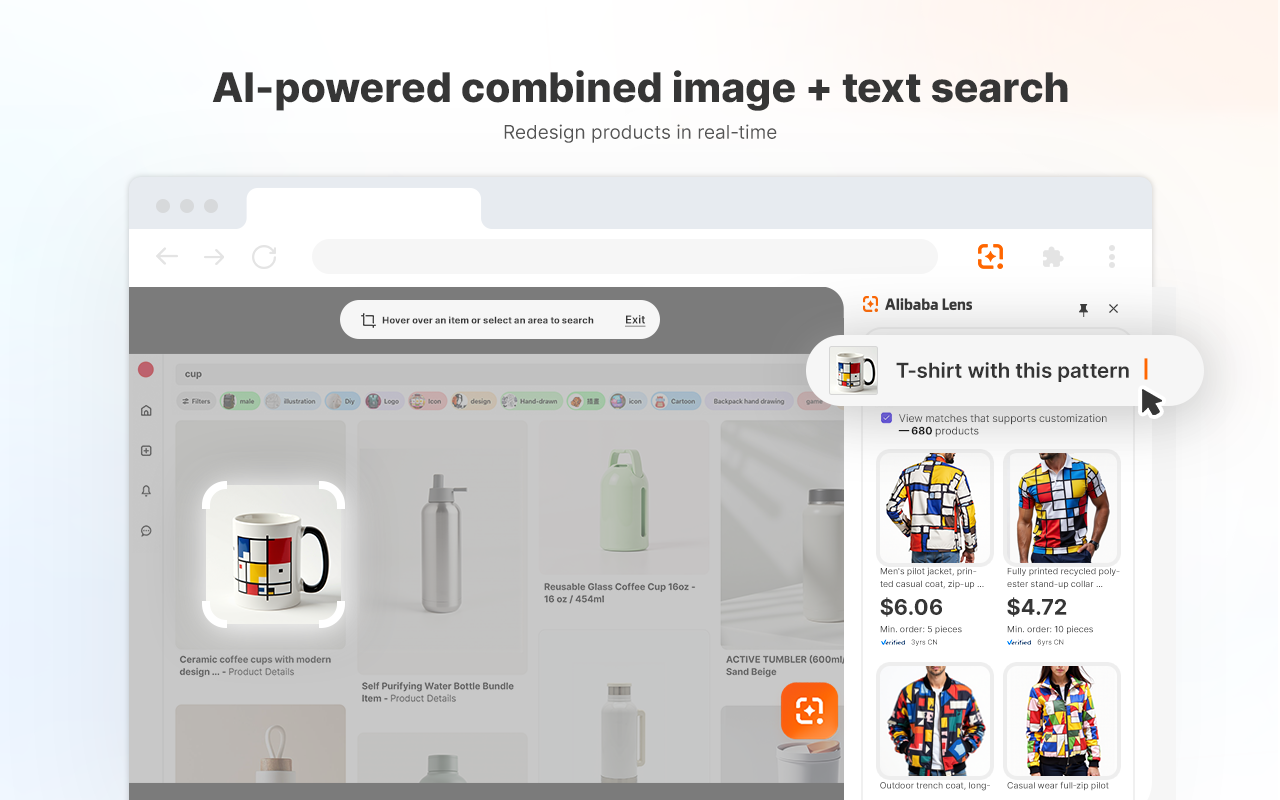
This is your smart shopping companion for discovering similar products across multiple e-commerce platforms.
Snap a screenshot or hit “Find Similar” in your Chrome interface. We will uncover matching products from across the internet, including thousands of high-quality Alibaba.com suppliers.
💡 Key Features
👉 Discover, Compare & Source with Ease
🔍 Visual Search Tool for Shopping: Screenshot any product or click “Find Similar” to detect matching items from millions of products across the web and on Alibaba.com.
💸 Instant Price Comparison: Compare prices for similar products, discover competitive wholesale price behind retail markup, and unlock more cost-effective options.
🏭 Source Supplier Info: Get source supplier details from Alibaba.com, explore product customization options, and access direct links for bulk orders—perfect for wholesalers and business owners.
👉 Seamless Shopping Experience
🌐 Works Everywhere: Browse the site you like—e-commerce, social media, blogs—and Alibaba Lens finds similar products no matter where you are online.
🖱️ One-Click Operation: Quick access via a button for instant product searches and deal discovery.
👉 Shop Smarter, Source Faster
🔗 Instant Product Links: Jump directly to matching product pages with one click to view specs, prices, and supplier info.
⏱️ Save Time & Money: No more manual searching and comparing—Alibaba Lens handles it all instantly to help in your procurement and purchasing.
❓ Frequently Asked Questions
📌 What websites does Alibaba Lens work on?
Alibaba Lens works on most websites you browse in Google Chrome—from shopping platforms (Amazon, eBay, Shopify, etc.) to lifestyle blogs, news, and even social media. If there’s an image, you can search with it!
📌 Can I use Alibaba Lens for wholesale purchasing?
Absolutely. Alibaba Lens is designed for both retailers and wholesalers. It prioritizes wholesale listings from Alibaba.com and provides supplier info for global sourcing.
📌 Do I need an Alibaba.com account?
No account needed to search and compare. If you wish to contact suppliers or place orders, you’ll be redirected to Alibaba.com where you can sign up or log in.
📌 Is Alibaba Lens free?
Yes! The extension is free for unlimited searches and price comparisons.
📌 Will the plugin affect my browsing speed?
No. Alibaba Lens is lightweight, optimized for speed, and runs only when you activate it. It's designed to run efficiently and respect your privacy.
great extension ever with great features,,, keep up
Уберите этот надоедливый пузырёк что маячит на сайтах.
This page shows the listing as it is today. Add it to Radar and get one email when it changes.

What it is, what to use instead, what it can access and how to fix it.
Alibaba Lens: Official Alibaba.com Image Search Tool for Wholesale Supply is a Shopping extension by alibaba-lens with 100K users. Chrome Web Store users rate it 4.53 out of 5 from 295 ratings. By users it sits in the top 1% of Shopping extensions.
Alibaba Lens asks for 5 permissions and access to every website. 3 of them give wide access.
Permissions show what it could do, not what it does. See the full permission list.
<all_urls>Read and change data on every websitetabsSee the address and title of every open tabcookiesRead and change site cookies, including logins<all_urls>tabscookiessidePanelcontextMenusstorageSensitive marks access that reaches your data or other sites. The access level is a 0 to 100 score of all of it: under 25 is Low, 60 and up is High.
Still stuck? Contact the maker or try an alternative.
Track any extension on Radar: users, rating, permissions and store text, with one email when something moves.


