

★★★★★C W
It works perfectly and does exactly what it says, UI is excellent. Only request is it would be nice if one could save pre-set locations that we could switch between on the fly.
Easily change your geographic location (Geolocation) to a desired one and protect your privacy.
by Yubi · 19 listings
2 images from the publisher · use the arrows or pick one · swipe or pick one

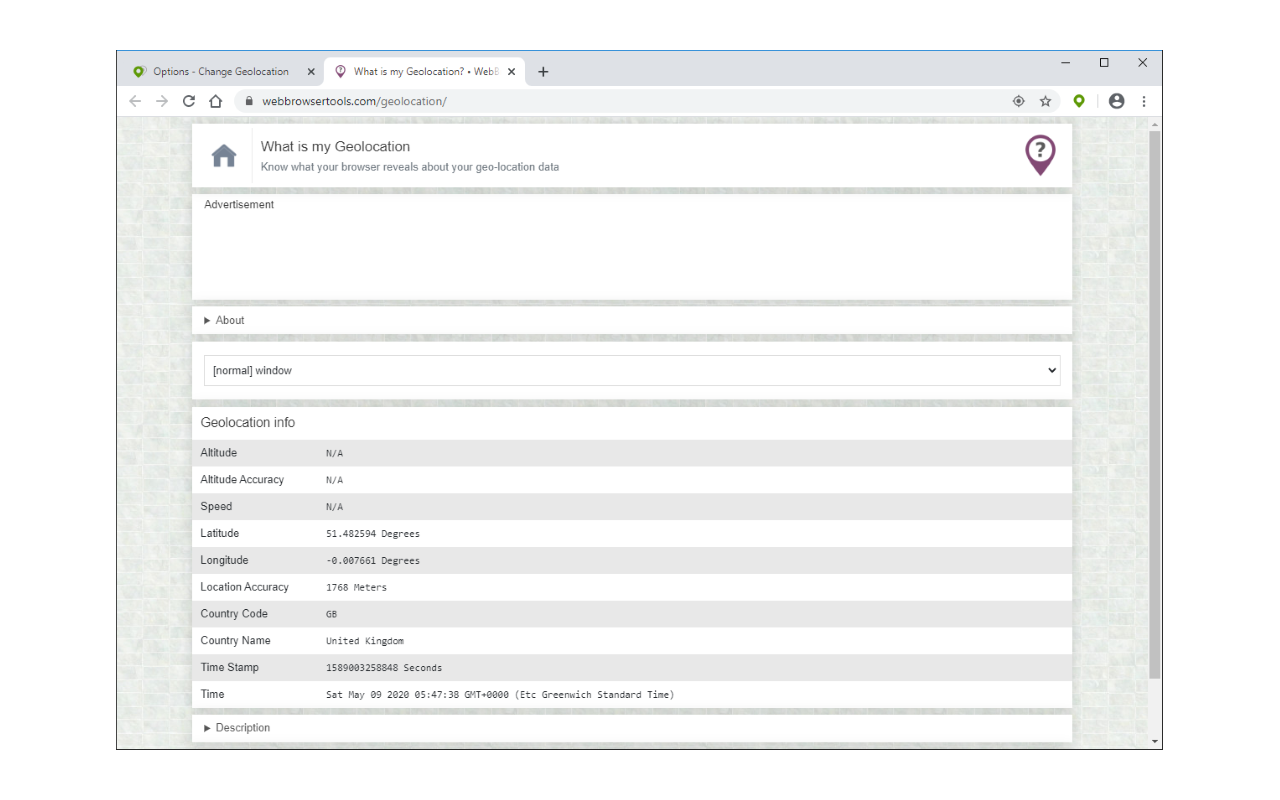
Change Geolocation (Location Guard) is a browser extension that let you easily change your geographic location to the desired value and protect your privacy.
Simply open the addon's options page and set the latitude and longitude for where you want the geolocation to be (the default location is Greenwich, UK). Next, reload a page and check your location (i.e. webbrowsertools.com/geolocation/). Please note that besides latitude and longitude you can set other variables in the geolocation API (see options page). Moreover, pressing on the toolbar icon will activate or deactivate the addon.
Note: toolbar button serves as an ON|OFF switch to activate and deactivate the addon. The green color is for ON and the grey color is for the OFF state.
To report bugs, please fill out the bug report form on the addon's homepage (https://mybrowseraddon.com/change-geolocation.html).
It works perfectly and does exactly what it says, UI is excellent. Only request is it would be nice if one could save pre-set locations that we could switch between on the fly.
GeoLocation Extension is an excellent tool that delivers accurate and reliable location information. The interface is simple, easy to use, and works smoothly without issues. It provides precise geolocation data and has been very helpful for my tasks. Installation was straightforward, and the performance has been consistently impressive. I highly recommend this extension to anyone looking for a dependable and efficien…
It did work for me, you have to SET UP the place where you want it, and you have to allow the website to track your location so the spoofing actually works
As a new user, I find it more complicated than the old Location Guard, which has been disabled by Google - but it does work. After finally figuring it out, I asked Google "where am I?" and it showed me my "fake" location. Then I went to a few sites that are affected by one's location, and they performed how I was hoping. To be clear, I'm using a fake U.S location. Just in a different state. And I'm not trying to…
Poor video manual. Works for me only if check checkbox "Ignore the geolocation permission prompt from the browser".
You can give all the coordinates you want and still won`t work.
This page shows the listing as it is today. Add it to Radar and get one email when it changes.

What it is, what to use instead, what it can access and how to fix it.
Change Geolocation (Location Guard) is a Tools extension by Yubi with 70K users. Chrome Web Store users rate it 3.20 out of 5 from 91 ratings. By users it sits in the top 1% of Tools extensions.
Change Geolocation (Location Guard) asks for 4 permissions and access to every website. 2 of them give wide access.
Permissions show what it could do, not what it does. See the full permission list.
<all_urls>Read and change data on every websitewebNavigationFollow every page you open*://*/*webNavigationstoragescriptingcontextMenusSensitive marks access that reaches your data or other sites. The access level is a 0 to 100 score of all of it: under 25 is Low, 60 and up is High.
1 starPoor video manual. Works for me only if check checkbox "Ignore the geolocation permission prompt from the browser".
1 starYou can give all the coordinates you want and still won`t work.
Still stuck? Contact the maker or try an alternative.
Track any extension on Radar: users, rating, permissions and store text, with one email when something moves.


