
HTML Tables to XLSX Spreadsheets
Convert all HTML tables in a web page or local HTML file to a XLSX spreadsheet, with each table placed on a seperate tab.
Time on the storeAbout 3 years or moreA rough range, not an exact date
Store users246As shown on the Chrome Web Store
Chrome Web Store rating3.4 / 55 ratings on the Chrome Web Store
Last store update2 Aug 2026Version 1.2.4, 2 months ago
Inside the extension
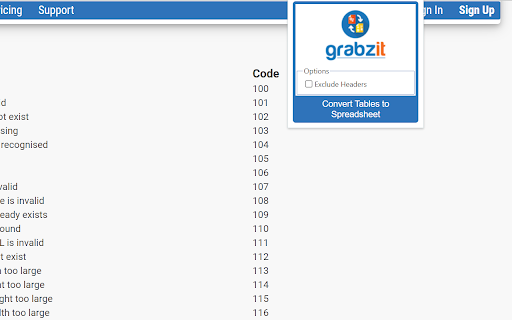 Product image 1 of 3
Reviews
Loading reviews…
The maker
GrabzIt Limited has 9 listings on the store. Updates most of their listings often.
- Listings
- 9
- Combined store users
- ≈9.5K
- Store Featured
- 4
- Updated in the last 90 days
- 8 of 9
- Webpage to DOCX≈5K users · updated 2 months ago
- Webpage to Video≈2K users · updated 2 months ago
- GrabzIt Web Scraping Assistant772 users · updated 2 months ago
- Webpage to HD Image636 users · updated 2 months ago


Combined users can count the same person more than once. See all 9 listings Developer website
Ext Watch AI
Should you build in this niche?
One research report for HTML Tables to XLSX Spreadsheets. Reports come with Plus, Pro and Max.
- Takeaway & demandCited takeaway and search volumes
- Traffic & domainPopularity rank, visits and authority
- Money & pricingPlans and prices from the maker’s site
- ReviewsComplaints and praise, quoted
- Competitors & ranksRank against the closest listings
- Build opportunityWhat to build and how to position it
- Every number shows its source and date
- Ready in a minute or two
- Report and PDF yours for 30 days


