

★★★★★Sam Everett
Very handy tool, makes communicating and sharing information with my team and clients very easy. The beauty is in the simplicity. 5/5 would reccomend, also thanks to the Droplr support team and Sanchit for your help 🙂
The Easiest All-In-One Screenshot & Screen Recorder
by Covideo · 2 listings·droplr.com
3 images from the publisher · use the arrows or pick one · swipe or pick one


Capture screenshots and screen recordings instantly: it's saved to the cloud with a link you can share with anyone, anywhere.
Simple and easy to use.
Screenshots:
Capture part of your screen, the entire screen, or the full webpage: then mark it up.
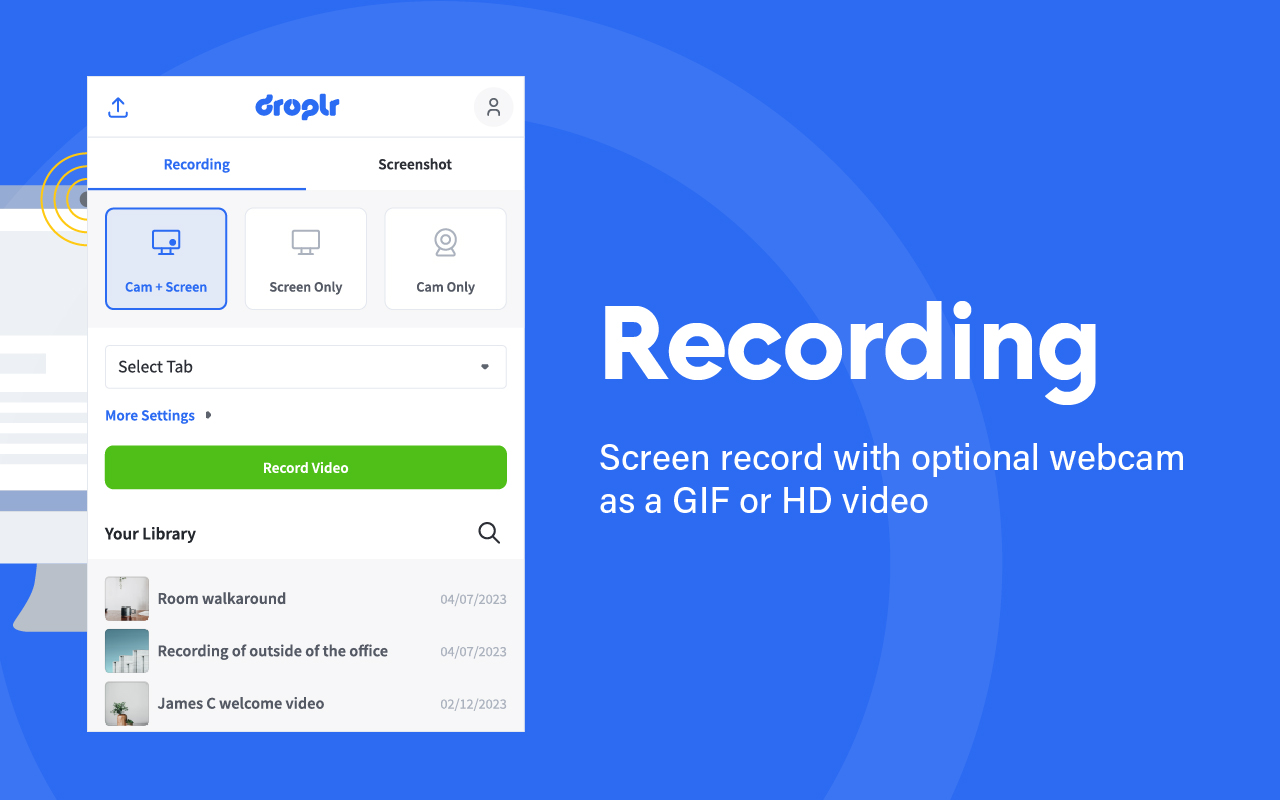
Screen recorder:
Screen record with audio and optional webcam as a GIF or HD video.
Features:
* Your screenshot or screen recording automatically saves to the cloud with a link saved to your clipboard.
Paste it and share it with anyone, anywhere like email or Slack.
Or download your screenshot as a PNG or screen recording as a WebM right to your device.
* Annotate by adding text or color highlight.
Use the image editor to add shapes like lines, circles, arrows, and boxes.
Have fun with over 30 emojis to add to your screenshots 😀👌💯🎉
* All your screenshots and screen recording are saved to your personal Droplr cloud account, so you can access them anytime.
Add our top-rated Chrome app; used by 5 million people to share billions of screenshots and screen recordings.
Very handy tool, makes communicating and sharing information with my team and clients very easy. The beauty is in the simplicity. 5/5 would reccomend, also thanks to the Droplr support team and Sanchit for your help 🙂
Sanchit was amazing. Fast support service. Greatly Appreciate your time.
I use Droplr Pro just about every day and love the simplicity of it. I capture screenshots, record videos, shorten URLs ... so many features. The annual subscription is WELL worth the price - particularly since my 'drops' are stored as long as I keep my plan (I don't have to worry about the data becoming unavailable). To make things even better, Droplr's support is amazing. I've only had to reach out a few times…
É um app ótimo, cumpre com o esperado. Ótimo para compartilhar arquivos. Precisaria ter mais atualizações.
The new update is wrost of all It never start recording in one click and the new window opens blank all the time THIS IS THE WORST UPDATE I use edge extensions because is has the old easy way to start recording Doesn't deserve 1 star for the update Very sad
Most of time video recording not upload successfully even it's just a 2 minutes video. I recorded same video several time but no luck most of time. Now i feel fear to record anything with droplr because i have do same thing again.
This page shows the listing as it is today. Add it to Radar and get one email when it changes.

What it is, what to use instead, what it can access and how to fix it.
Screenshot & Screen Recorder w/ Webcam-Droplr is a Workflow & Planning extension by Covideo with 10K users. Chrome Web Store users rate it 3.87 out of 5 from 227 ratings. By users it sits in the top 5% of Workflow & Planning extensions.
Screenshot & Screen Recorder w/ Webcam-Droplr asks for 9 permissions and access to every website. 4 of them give wide access.
Permissions show what it could do, not what it does. See the full permission list.
<all_urls>Read and change data on every websitedesktopCaptureRecord your screenwebRequestWatch the web traffic your browser sendstabsSee the address and title of every open tab<all_urls>desktopCapturewebRequesttabsactiveTabactiveTabscriptingstoragenotificationsclipboardWriteSensitive marks access that reaches your data or other sites. The access level is a 0 to 100 score of all of it: under 25 is Low, 60 and up is High.
No new reviews were posted in the last 90 days, so there are no fresh complaint signals.
Still stuck? Contact the maker or try an alternative.
Track any extension on Radar: users, rating, permissions and store text, with one email when something moves.


