Skip to content
Ask Claude about any Chrome extension, answered with Ext Watch data. See how →
Tools extension

Smallpdf—Edit, Convert, Compress, & AI Summarize PDF

Get instant access to dozens of PDF tools directly in your browser – no downloads, no switching tabs.

by Smallpdf · 1 listing·smallpdf.com

Add to RadarChrome Web Store Free plan tracks 1 extension · no card
extwatch.com/extensions/smallpdfedit-convert-compress-ai-summarize-pdf-ohfgljdgelakfkefopgklcohadegdpjf
Smallpdf—Edit, Convert, Compress, & AISmallpdf · ToolsLow access
Users
3M+
#28 of 118,202 in category
Rating
4.18
3,000 ratings · median 4.59
Version
0.23.21
1.15 MiB · Manifest V3
Access
Low6/100
3 permissions
From the store listing

Screenshots

4 images from the publisher · use the arrows or pick one · swipe or pick one

Smallpdf—Edit, Convert, Compress, & AI Summarize PDF screenshot 1Smallpdf—Edit, Convert, Compress, & AI Summarize PDF screenshot 2Smallpdf—Edit, Convert, Compress, & AI Summarize PDF screenshot 3Smallpdf—Edit, Convert, Compress, & AI Summarize PDF screenshot 4
1 / 4

Description

As written by the publisher on the store

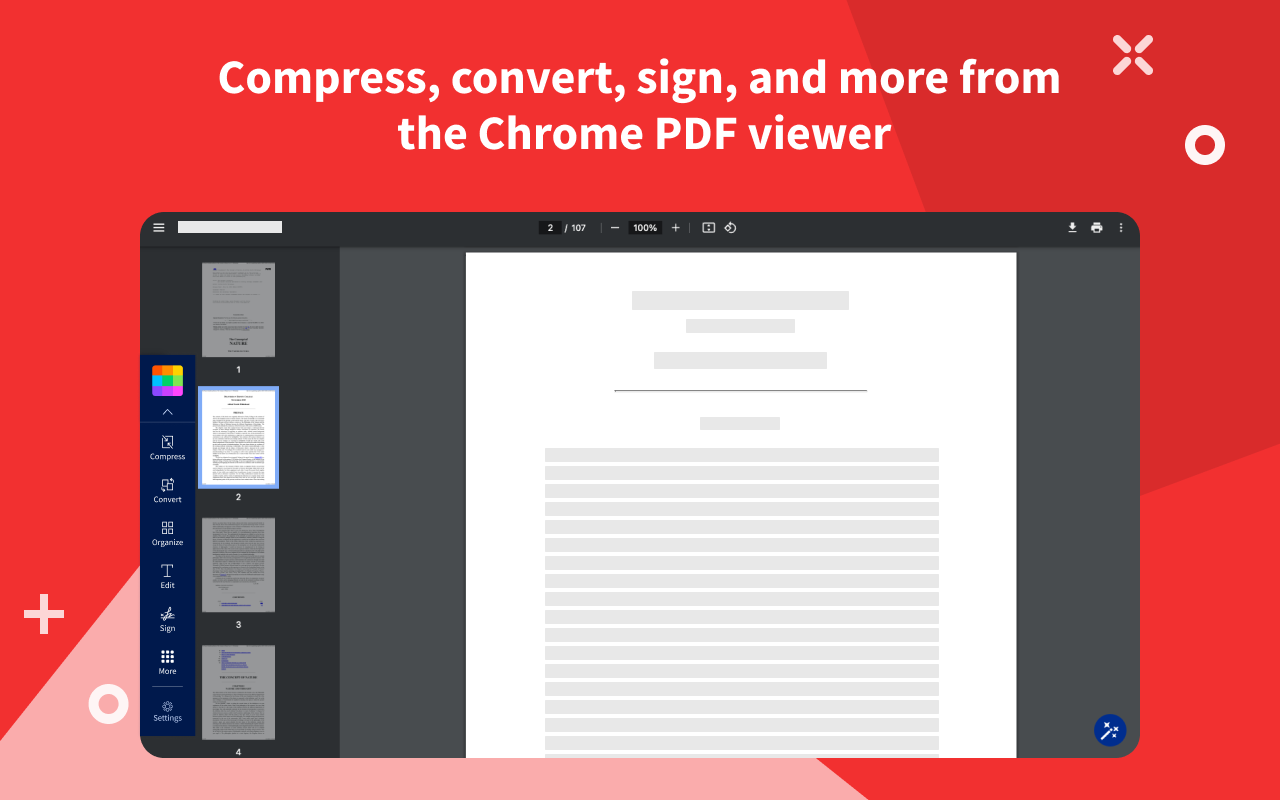
Open any PDF and compress, convert, edit, merge, split, organize, e-sign, or process it with AI in just a few clicks.

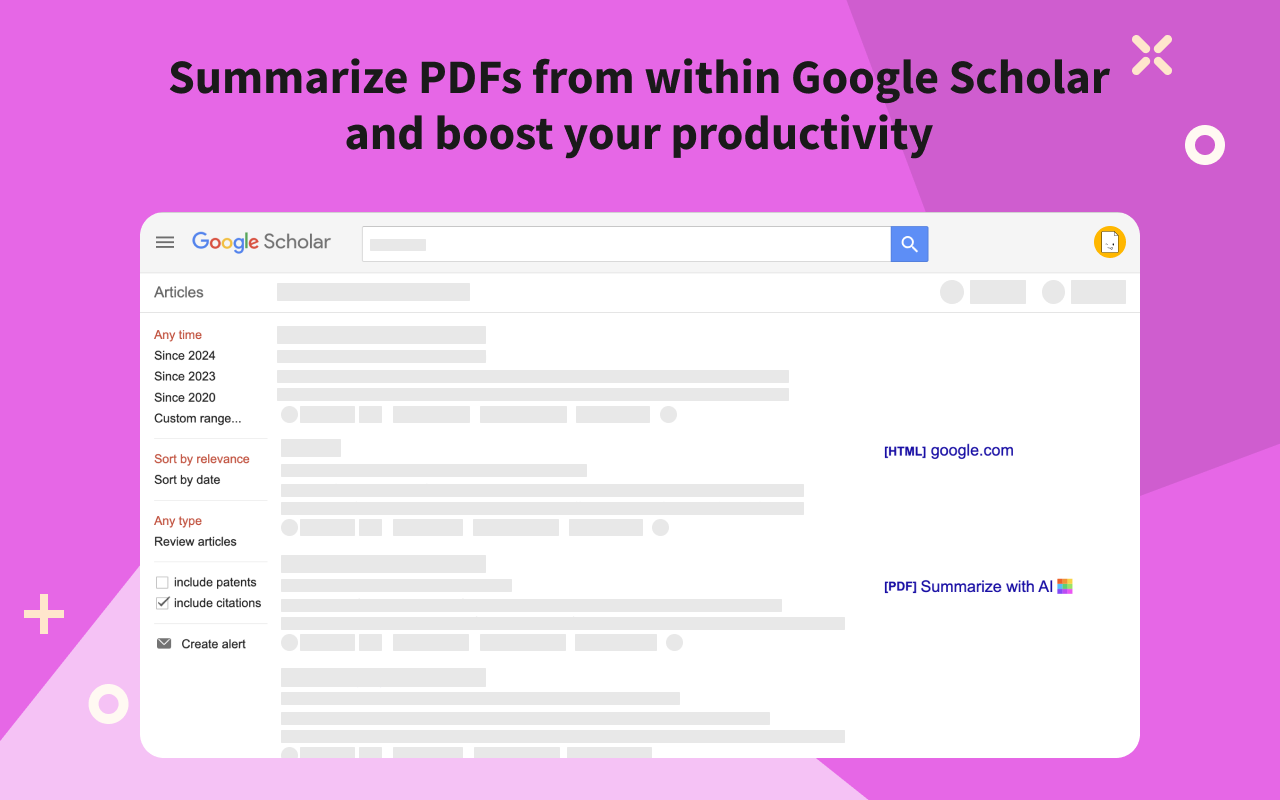
Use the AI-powered assistant to summarize, translate, or chat with any PDF – including papers from Google Scholar. Convert PDFs to Word, Excel, or PowerPoint, or go the other way around. Everything runs straight from your browser, free to use.

Trusted by over 1 billion users worldwide, Smallpdf is the PDF platform that actually makes document work feel easy.

  • Quick access to our free online PDF tools to:
  • Edit PDF
  • Compress PDF
  • Convert PDF to Word
  • Convert PDF to Excel
  • Convert PDF to PPT
  • Convert PDF to image (JPG)
  • Merge PDFs
  • Split PDF
  • Sign PDF
  • Extract PDF pages
  • Chat to PDF with our AI assistant
  • AI summarize PDFs from Google Scholar
  • How to use the Chrome extension:
  • Install the Chrome extension
  • Pin for quick access
  • Pick a tool and upload your file
  • Or open a PDF in your browser
  • Get Smallpdf Pro for premium features:
  • Unlimited usage: process as many files as you’d like on all tools
  • Compress PDF (70% strong compression)
  • Convert PDF to Office with Optical Character Recognition (OCR)
  • Unlimited access to our mobile app and offline Windows app
  • Batch processing on our website and the Windows app

Smallpdf Pro is available for a 7-day free trial (www.smallpdf.com/pricing).

By installing the Smallpdf Chrome Extension, you agree to our Privacy and Terms (www.smallpdf.com/privacy).

Ratings and reviews

Split of the 534 written reviews we hold
Reviews on the store
4.183,000 ratings on the store
534 written reviews we hold
5 ★62.9%336
4 ★7.3%39
3 ★6.2%33
2 ★4.5%24
1 ★19.1%102
areartehaca

No money or email subscription Just Free, Easy and Reliable. It's quick and efficient. I might be using once a week. The free version so far didn't have and restrictions. Great value indeed.

Sergio Burgos

ME PARECE UNA BUENA HERRAMIENTA PERO TIRA ALGUNOS ERRORES, COMO POR EJEMPLO CUANDO QUIERO ELIMINAR PAGINAS DE UN PDF QUIERO QUE ME DESCARGUE LAS PAGINAS QUE NO ELIMINE, PARA QUE QUIERO QUE ME DESCARGUE LAS PAGINAS ELIMINADAS SI SUPUESTAMENTE SON LAS QUE NO NECESITO

Jacob S

Just the normal compression helped me out a ton! It compressed the file from +50mb to 13mb!

Masood Ahmed

Hope everyone liked this app,we appreciate every love and support u guys give us tysm

PWM MCC

I cancelled my subscription 10 days before its renewal. Despite this, they charged my credit card. I've complained several times and they haven't refunded my money. Don't pay anything here!

Chris Washko

Says quick access to free edit tool - IT IS NOT FREE. Waste of time.

Radar

Track Smallpdf—Edit, Convert, Compress, & AI on Radar

This page shows the listing as it is today. Add it to Radar and get one email when it changes.

  • Users and rating
  • Store text and screenshots
  • Permissions it asks for
Free plan tracks 1 extension · no card
Ext Watch Radar watchlist cards showing tracked extensions with users, rating, version and latest store change
Guide

Smallpdf—Edit, Convert, Compress, & AI Summarize PDF, in plain words

What it is, what to use instead, what it can access and how to fix it.

At a glance

Smallpdf—Edit, Convert, Compress, & AI Summarize PDF at a glance

Smallpdf—Edit, Convert, Compress, & AI Summarize PDF is a Tools extension by Smallpdf with 3M users. Chrome Web Store users rate it 4.18 out of 5 from 3,000 ratings. By users it sits in the top 1% of Tools extensions.

By users
#28of 118,202 in Tools
Rating
4.18category median 4.59
Access
Low6 of 100

Smallpdf—Edit, Convert, Compress, & AI Summarize PDF alternatives

Closest by what they do · users as the store shows them · bars on a log scale
Smallpdf—Edit, Convert, Compress, & AI Summarize PDF3M4.18 ★
WPS PDF - Read, Edit, Fill, Convert, and AI Chat PDF with Ease6M4.5 ★Free PDF Editor & Reader — Compress, Merge, Convert PDFs · PDFly6K4.5 ★PDF4me - Edit, Merge, Compress & Convert PDF2K4.8 ★PNG to PDF Converter1K2.4 ★Convert PDF to Editable Doc1K5.0 ★
Permissions

Is Smallpdf—Edit, Convert, Compress, & AI Summarize PDF safe?

Smallpdf—Edit, Convert, Compress, & AI Summarize PDF asks for 3 permissions. None of them are on our list of wide-access permissions.

Permissions show what it could do, not what it does. See the full permission list.

6/ 100Low access
Smallpdf—Edit, Convert, Compress, & AI Summarize PDF3 permissions
  • storageNot on our wide-access list
  • notificationsNot on our wide-access list
  • alarmsNot on our wide-access list

Every permission Smallpdf—Edit, Convert, Compress, & AI Summarize PDF asks for

3 permissions · none sensitive · Low access overall

Browser permissions · 3

  • Save its own settingsstorage
  • Show desktop notificationsnotifications
  • Run tasks on a schedulealarms

Sensitive marks access that reaches your data or other sites. The access level is a 0 to 100 score of all of it: under 25 is Low, 60 and up is High.

Troubleshooting

Smallpdf—Edit, Convert, Compress, & AI Summarize PDF not working?

What recent reviews say

Store reviews from the last 90 days
3recent reviews, none with 1 or 2 stars
1–2 stars 3–5 stars

Common fixes

Try them in this order
  1. 1Update Chrome and the extension
  2. 2Turn it off and on in chrome://extensions
  3. 3Reload the page
  4. 4Turn other extensions off in case two clash

Still stuck? Contact the maker or try an alternative.

297,753 Chrome extensions in one place

Know when a listing changes

Track any extension on Radar: users, rating, permissions and store text, with one email when something moves.

No credit card neededFree ExplorerAsk Claude about any extension