

★★★★★Yasin Alıcı
her pc de olması gereken bir uzantı , sekme geçişleri çok rahatlıyor
Quick access to all opened tabs. Manage browser tabs to easily navigate and switch between them.
by 20Tabs · 1 listing
3 images from the publisher · use the arrows or pick one · swipe or pick one

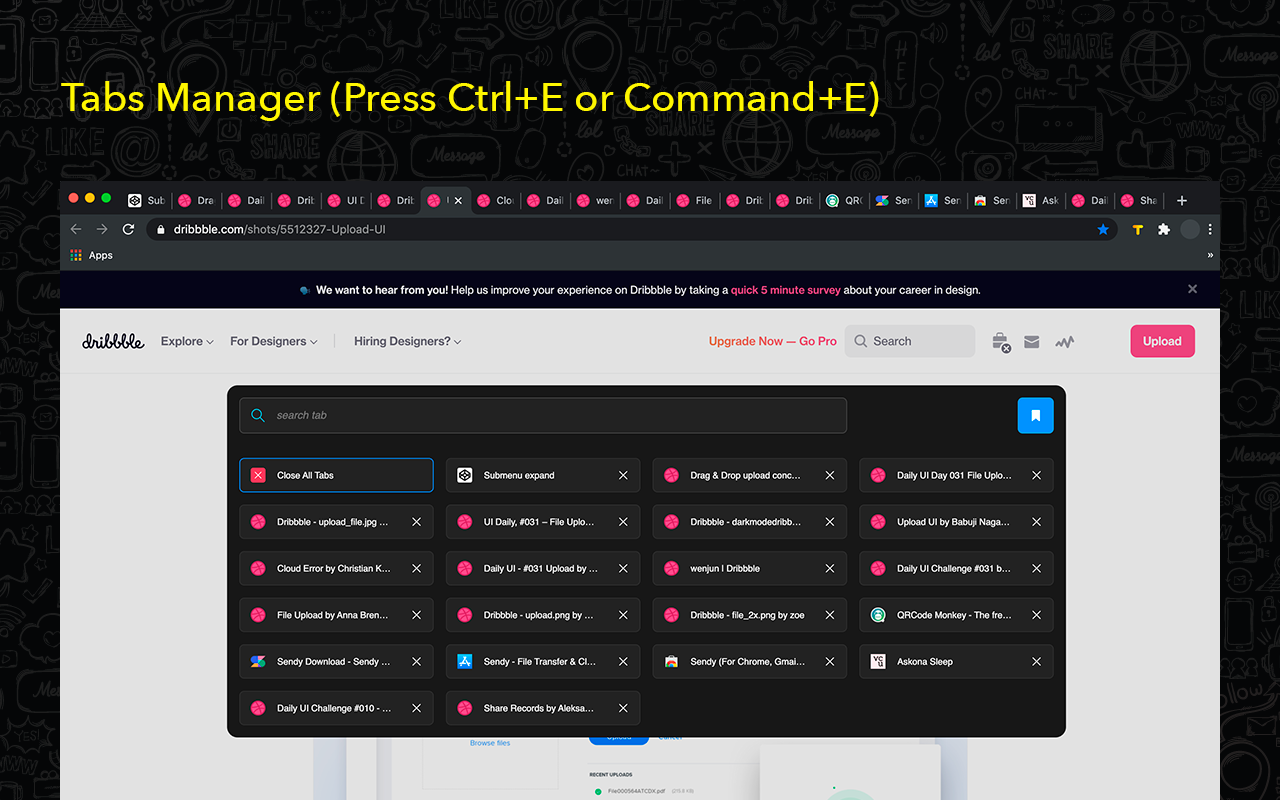

Tab Manager for Chrome is a must-have extension for anyone looking to streamline their browsing experience. Designed to give you quick and easy access to all your open tabs, this tool allows you to navigate between them with just a click. No more getting lost in a sea of open tabs—Tab Manager for Chrome provides a clear and organized overview, so you can instantly find and switch to the tab you need.
Tab Manager for Chrome also lets you create custom tab groups, helping you keep related tabs organized and accessible. Whether you’re working on a project, researching multiple topics, or simply trying to keep your personal and work tabs separate, you can group your tabs and open them only when you need them. This not only declutters your browser but also improves your productivity by letting you focus on the task at hand.
With a user-friendly interface and powerful features, Tab Manager for Chrome is the perfect solution for anyone who wants to take control of their browsing and enhance their efficiency. Say goodbye to tab overload and hello to a more organized, stress-free browsing experience.
Organize browser tabs to a fully manageable list for quick search through opened tabs and easy access to any website you want. There can be created groups of opened tabs by theme, so you will be able to work exactly with needed websites and then collapse tabs altogether that will be saved for further until you want to edit or delete them.
Navigation between opened tabs became so simple with 20 Tabs. There is an opportunity to use hotkeys to find saved domain names and open tabs.
Every group of tabs is editable thus you can add or remove any tab from the list. As well there is an option to rename each group for more convenience.
Take control of your tabs is the every - day assistant in working with browser tabs. Press the hotkey combination to open a search bar with a list of opened tabs. The search bar appears as well to simplify navigation between websites you visit.
You are welcome with any suggestions about improvements. Visit our options page to contact us or rate.
her pc de olması gereken bir uzantı , sekme geçişleri çok rahatlıyor
Kinda cringe that you can't open individual tabs by clicking on them lol.
pressed enter after writing a paragraph for work and it closed every tab, with no easy way to restore them aside from spamming ctrl+shift+t until it looked right. extension options > open group > change "replace tabs" to "add new" -- i don't understand replacing all tabs would be default behavior, especially before you've even defined a group.
Muy util y facil de utilizar. Recomendable para todo tipo de persona
no deja crear varios grupos y si eliminas uno no te deja crear nuevos
THIS is Not Tab manager .... when i click at app its shows "No groups yet". even if i have opened groups ... well... useless trash....
This page shows the listing as it is today. Add it to Radar and get one email when it changes.

What it is, what to use instead, what it can access and how to fix it.
Tab Manager for Chrome™ is a Functionality & UI extension by 20Tabs with 10K users. Chrome Web Store users rate it 4.12 out of 5 from 82 ratings. By users it sits in the top 5% of Functionality & UI extensions.
Tab Manager for Chrome™ asks for 4 permissions and access to every website. 2 of them give wide access.
Permissions show what it could do, not what it does. See the full permission list.
<all_urls>Read and change data on every websitetabsSee the address and title of every open tab*://*/*tabsstoragescriptingactiveTabSensitive marks access that reaches your data or other sites. The access level is a 0 to 100 score of all of it: under 25 is Low, 60 and up is High.
No new reviews were posted in the last 90 days, so there are no fresh complaint signals.
Still stuck? Contact the maker or try an alternative.
Track any extension on Radar: users, rating, permissions and store text, with one email when something moves.


