
Skip to content
Ask Claude about any Chrome extension, answered with Ext Watch data. See how →
Developer Tools extension

WhatFont

The easiest way to identify fonts on web pages.

by Chengyin Liu · 1 listing

Add to RadarChrome Web Store Free plan tracks 1 extension · no card
extwatch.com/extensions/whatfont-jabopobgcpjmedljpbcaablpmlmfcogm
WhatFontChengyin Liu · Developer ToolsLow access
Users
3M+
#8 of 31,198 in category
Rating
3.85
2,062 ratings · median 4.63
Version
3.3.0
762 KiB · Manifest V3
Access
Low16/100
3 permissions
From the store listing

Screenshots

4 images from the publisher · use the arrows or pick one · swipe or pick one
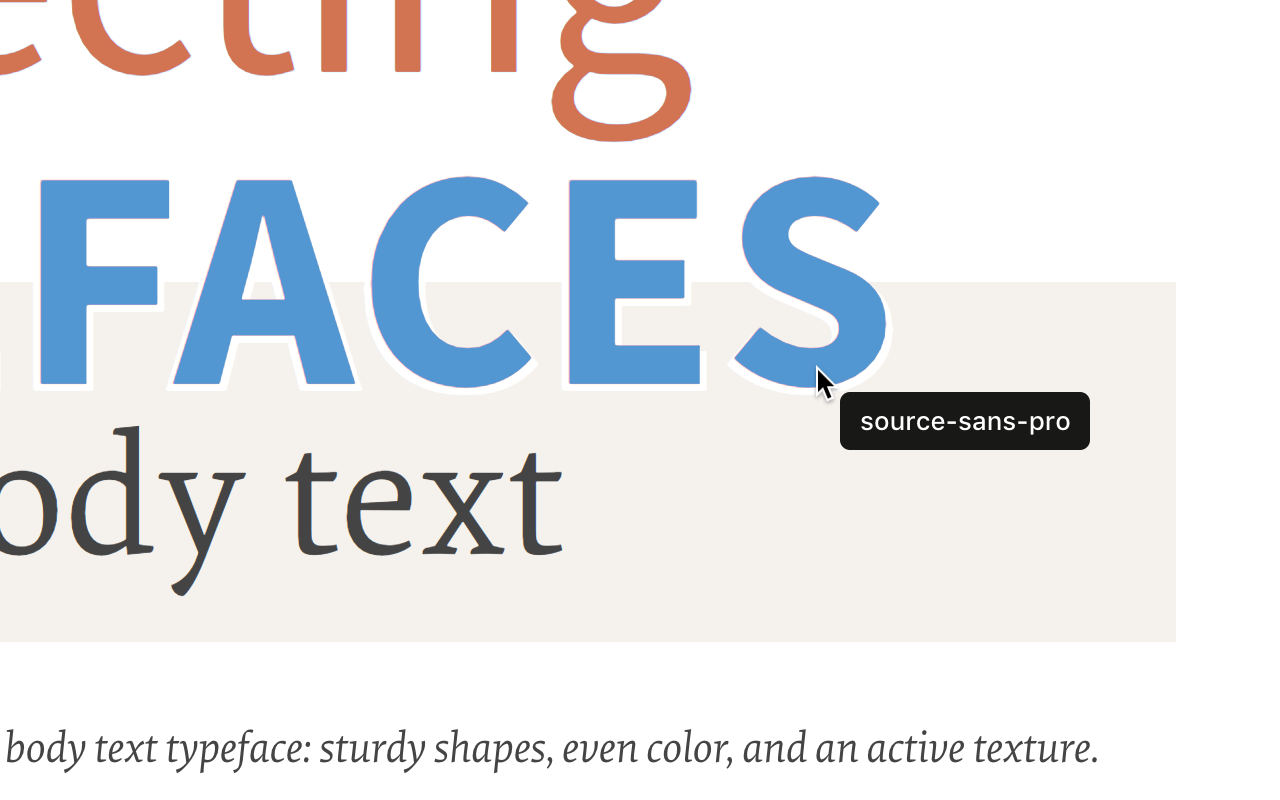
WhatFont screenshot 1WhatFont screenshot 2WhatFont screenshot 3WhatFont screenshot 4
1 / 4

Description

As written by the publisher on the store

Say goodbye to the complexity of developer tools for identifying fonts. With WhatFont, discovering the fonts used on websites becomes as effortless as hovering over text. Want more details? A simple click on any element reveals the styles applied, making it easier than ever to uncover the secrets behind beautiful typography.

Recommended by Wired WebMonkey, Lifehacker, and SwissMiss.

———————————————————————————

  • History:
  • 3.3.0
  • Redesigned details panel: real font names, where the font comes from, letter spacing, line height in px and the HTML element
  • Click any value to copy it, or copy all the CSS at once
  • Explains when WhatFont can't run on a page
  • Works on local files when file access is allowed
  • Shows a one-time tip for new users
  • 3.2.0
  • Improved toolbar icon compatibility
  • 3.1.1
  • Removed unnecessary developer logging
  • 3.1.0
  • Added multiple color format support
  • 3.0.1
  • Restored escape key to exit
  • 3.0.0
  • Completely Rewritten: The entire extension has been rebuilt for better performance and usability.
  • Updated Permission Model: We've revised permissions to better respect user privacy while maintaining functionalities.
  • Refreshed Appearance: The look has been updated for a more modern feel.
  • Isolation from Host Website Styling: Ensures WhatFont's appearance is unaffected by the website it's used on.
  • Adaptive Toolbar Icon: The toolbar icon now changes based on the system's appearance settings.
  • Support for New CSS Color Values: Enhanced support for the latest CSS color values.
  • 2.1.0
  • A new design thanks to Siddharth Mate
  • 2.0.3
  • Retina toolbar icon
  • 2.0.2
  • Fix option page for button styles
  • 2.0.1
  • Use native screen capturer
  • 2.0
  • Improved sharing
  • 1.7
  • Added font services detection for FontDeck (Thanks to Mark Perkins)
  • Improved font detecting algorithm
  • Improved overall performance
  • 1.6.1
  • Added color detection for text
  • 1.6
  • Added a tweet button for instant sharing through Twitter
  • Improved style reseting
  • ­• 1.5
  • Overall restyling
  • ­• 1.4.4
  • Supported light icon for dark themes
  • ­• 1.4.3
  • Fixed a bug related to Typekit service detection
  • ­• 1.4.2
  • Reduced loading time
  • Supported HTTPS protocol
  • ­• 1.4.1
  • Fixed stylesheet bug
  • 1.4
  • Restructured source code
  • Supported font services detection for Typekit and Google Font API
  • Fixed toolbar button bug. Second click is now "Exit WhatFont"

Ratings and reviews

Split of the 561 written reviews we hold
Reviews on the store
3.852,062 ratings on the store
561 written reviews we hold
5 ★53.7%301
4 ★7.0%39
3 ★5.7%32
2 ★4.8%27
1 ★28.9%162
Mike Vallejo

Really great app, love that it includes the color in hex format, and all info is easily able to be copied by one click.

Alexander Gasiul

Using it for years. Easy to use, easy to navigate, easy to explore text font and color styles. Just got a new update, and it's even better now, better UX and intuitive UI. Huge kudos to the creator, developer and designer.

Thu Nhi Nguyễn

Very easy to use. It identifies fonts, styles, and text sizes at the snap of a finger.

Darivaldo Miguel Simões de Santana Júnior

Reinstalei para funcionar. Você deve clicar no ícone a cada site que queira rodar a extensão.

Mark Jay Daria

It was working good, until chrome updated.

Artur

It stopped working on newer chrome realeses

Radar

Track WhatFont on Radar

This page shows the listing as it is today. Add it to Radar and get one email when it changes.

  • Users and rating
  • Store text and screenshots
  • Permissions it asks for
Free plan tracks 1 extension · no card
Ext Watch Radar watchlist cards showing tracked extensions with users, rating, version and latest store change
Guide

WhatFont, in plain words

What it is, what to use instead, what it can access and how to fix it.

At a glance

WhatFont at a glance

WhatFont is a Developer Tools extension by Chengyin Liu with 3M users. Chrome Web Store users rate it 3.85 out of 5 from 2,062 ratings. By users it sits in the top 1% of Developer Tools extensions.

By users
#8of 31,198 in Developer Tools
Rating
3.85category median 4.63
Access
Low16 of 100

WhatFont alternatives

Closest by what they do · users as the store shows them · bars on a log scale
WhatFont3M3.85 ★
What Font - font finder100K3.6 ★What the Font30K3.4 ★Font finder20K4.4 ★Which Font Is This?9K3.0 ★Whats the Font4K4.8 ★
Permissions

Is WhatFont safe?

WhatFont asks for 3 permissions. None of them are on our list of wide-access permissions.

Permissions show what it could do, not what it does. See the full permission list.

16/ 100Low access
WhatFont3 permissions
  • activeTabNot on our wide-access list
  • scriptingNot on our wide-access list
  • storageNot on our wide-access list

Every permission WhatFont asks for

3 permissions · none sensitive · Low access overall

Browser permissions · 3

  • Work on the tab you click it onactiveTab
  • Run its code on pages it can accessscripting
  • Save its own settingsstorage

Sensitive marks access that reaches your data or other sites. The access level is a 0 to 100 score of all of it: under 25 is Low, 60 and up is High.

Troubleshooting

WhatFont not working?

What recent reviews say

Store reviews from the last 90 days
7recent reviews, none with 1 or 2 stars
1–2 stars 3–5 stars

Common fixes

Try them in this order
  1. 1Update Chrome and the extension
  2. 2Turn it off and on in chrome://extensions
  3. 3Reload the page
  4. 4Turn other extensions off in case two clash

Still stuck? Contact the maker or try an alternative.

297,753 Chrome extensions in one place

Know when a listing changes

Track any extension on Radar: users, rating, permissions and store text, with one email when something moves.

No credit card neededFree ExplorerAsk Claude about any extension