

★★★★★Jessica Deane
fun game but could use a high score system
Unscramble letters to form words under a time limit for points.
by Game Anything · 9 listings
5 images from the publisher · use the arrows or pick one · swipe or pick one


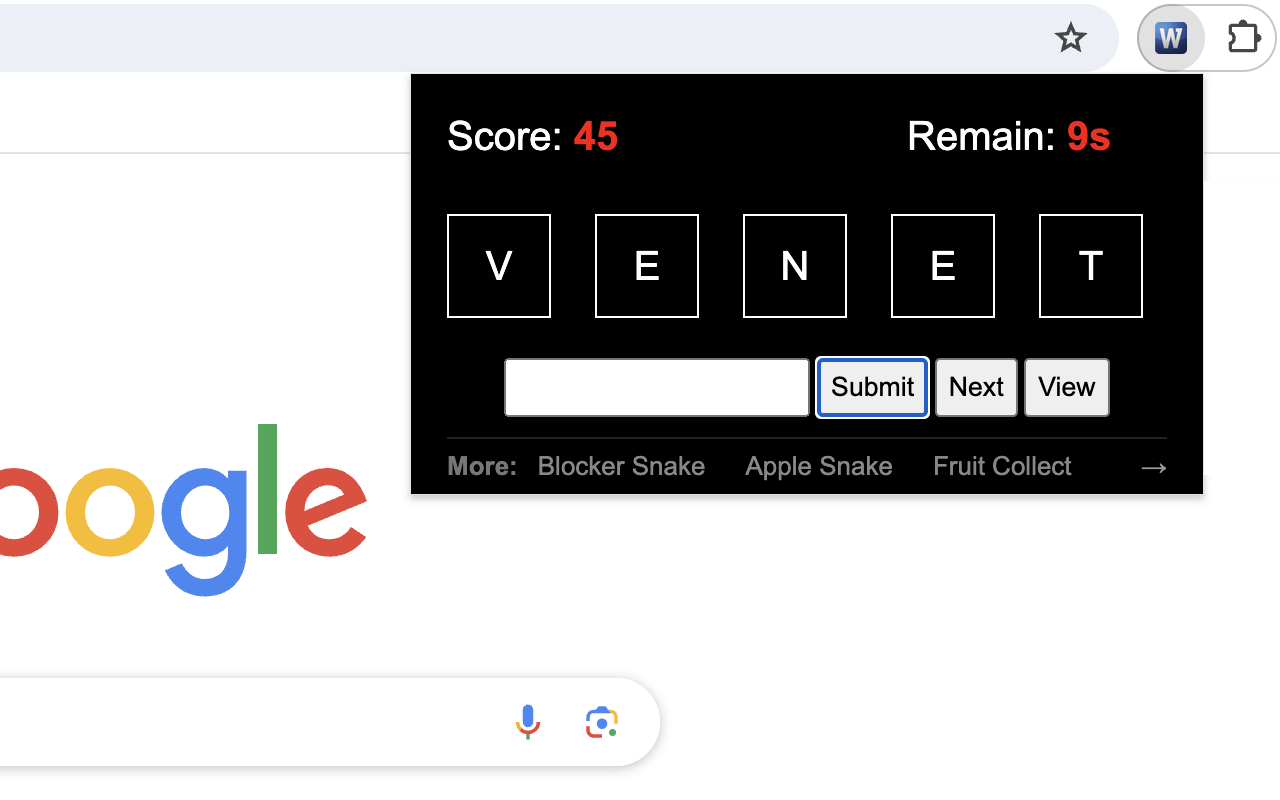

Word Scramble Challenge is an engaging and mind-stimulating game where players unravel the mystery of scrambled letters to form a valid word. The game tests your vocabulary and quick-thinking skills under a time constraint.
1) Starting the Game: When you launch the game, you'll see a randomized set of letters on the screen. These letters are a scrambled version of a non-anagrammatic word (a word that can't form another valid word when its letters are rearranged) that's 5 letters long.
2) Making a Guess: Look at the scrambled letters and try to form a valid word. Type your guess into the provided input box.
3) Submitting Your Answer: Type your guess and click "Submit" to verify it. Correct answers increase your score by 5 points, while incorrect guesses don't affect the score."
4) Keeping an Eye on the Timer: The game begins with a 60-second timer, displayed at the top right corner of the game screen. This timer counts down, and you must try to score as many points as possible before it reaches 0.
5) Game Over: When the timer hits 0, the game is over. An overlay will appear with a "Restart" button. Click the button to begin a new game. The timer will reset to 60 seconds, and your score will reset to 0.
1) Using the "Next" Button: If you're stumped and can't figure out the word, click the "Next" button. This will present a new set of scrambled letters from the pre-prepared word list for you to solve.
2) Viewing the Answer: If you're curious about the correct word for a particularly challenging scramble, click the "View" button. The answer will be displayed at the top of the screen.
Have fun playing the word game! If you'd like to play the next level with longer words, simply click related link below the 'Restart' button. Plus, we've showcased our featured game extensions after the game ends to bring you even more fun!
fun game but could use a high score system
This page shows the listing as it is today. Add it to Radar and get one email when it changes.

What it is, what to use instead, what it can access and how to fix it.
Word Scramble Game is a Games extension by Game Anything with 1,000 users. Chrome Web Store users rate it 5.00 out of 5 from 1 rating, which is still a small sample. By users it sits in the top 10% of Games extensions.
Word Scramble Game asks for 1 permission. None of them are on our list of wide-access permissions.
Permissions show what it could do, not what it does. See the full permission list.
storageNot on our wide-access liststorageSensitive marks access that reaches your data or other sites. The access level is a 0 to 100 score of all of it: under 25 is Low, 60 and up is High.
No new reviews were posted in the last 90 days, so there are no fresh complaint signals.
Still stuck? Contact the maker or try an alternative.
Track any extension on Radar: users, rating, permissions and store text, with one email when something moves.


