
The short answer
It works when the AI does the sorting and you supply the facts. For AI Chrome extension market research, collect dated listing data, ask the model to rank and compare it, demand a cited row for every claim, and check money and trend claims by hand. The model's memory should never be a source.
- You bring facts; the AI sorts them.
- Every number needs a date and a row.
- One snapshot can't show a trend.
- Missing price data means unknown, never free.
AI Chrome extension market research has a strange failure mode. The model doesn't say "unknown". It says something reasonable, with a number in it, and moves on.
Why AI invents numbers
A language model predicts likely text. That's all. A sentence about an extension "with around 200,000 users" is likely text. Whether it's true is a separate question the model can't check from memory.
The fix isn't a better model. It's taking the model out of the source chain entirely.
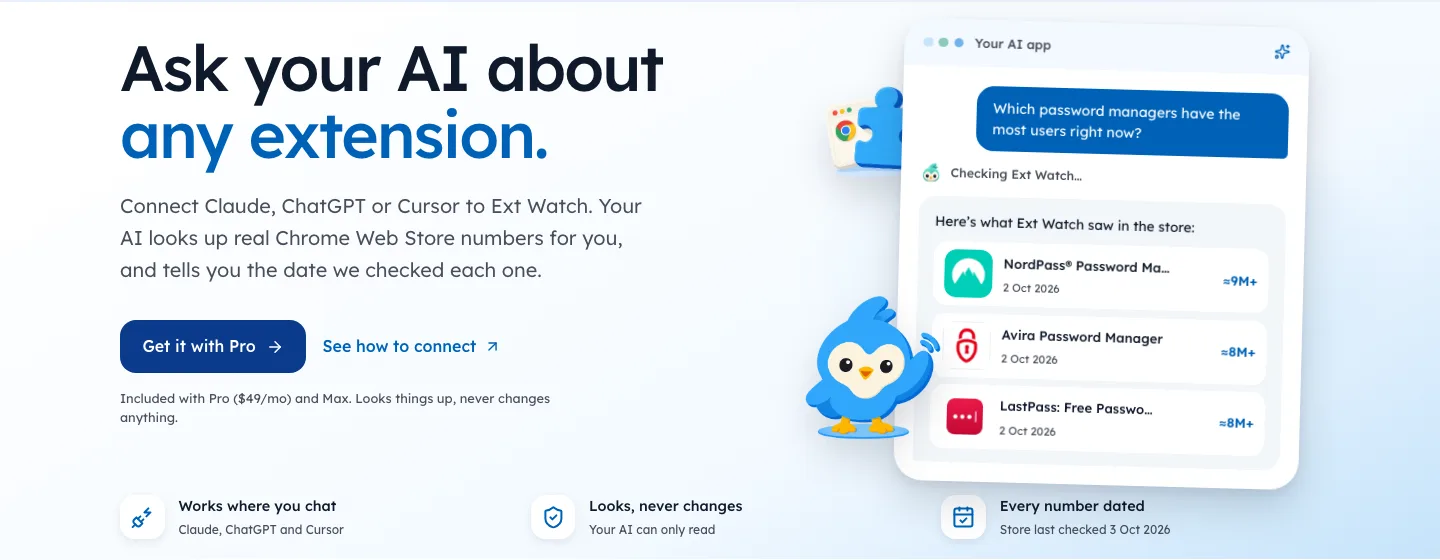
Facts can reach the model as a file, or live through an MCP server that follows the Model Context Protocol.
The five-step AI Chrome extension market research method
- CollectPull users, rating, rating count, version date and publisher site for your niche. Write the date.
- LoadGive the AI the table as a file.
- SortAsk it to rank, group and compare by rules you state.
- CiteRequire the row behind each claim, or the word unknown.
- CheckVerify by hand anything about money or change over time.
The two claims AI gets wrong most
Money. We learned this the hard way. Our first paid detector only read store text and manifests.
It flagged 641 of 65,655 extensions, about 1%, as of 3 Oct 2026, and missed big tools that clearly sell plans on their own sites.
A model reading the same listing makes the same mistake. No price on the page becomes "free" in the summary.
Trends. Claims about direction need at least two dated observations, ideally weeks apart, so a rounding blip or one noisy day can't pass as a real change.
Our own history began on 2 Oct 2026, so we don't make those claims yet. Neither should a model reading a single snapshot.
What a clean result looks like
| Claim | Supported by | Verdict |
|---|---|---|
| "Has the most users in the niche" | Users column, dated | Fine |
| "Rated poorly" | Lifetime rating plus count | Fine, say lifetime |
| "Getting worse" | One snapshot | Not supported |
| "Free to use" | No pricing data | Unknown |
| "Abandoned" | Old version date | Too strong; say "no update in N months" |
That table is the whole discipline. Anything in the bottom three rows goes back for checking.
Prompts that keep the model honest
Wording matters. These prompts work with any chat model once you've attached a table.
| Goal | Prompt |
|---|---|
| Rank | "Rank these listings by rating count. Show the row for each." |
| Group | "Group these by the job they do. Use only the name and summary columns." |
| Find gaps | "List listings with 10,000+ users, rating under 4.0 and no update in a year." |
| Check money | "For each, say paid, free or unknown. Unknown unless the table has a pricing column." |
| Summarise | "Write five findings. Each must cite a row. Say unknown if the table is silent." |
The last line of each prompt does the heavy lifting. A model told it may say unknown will say it far more often.
A sample table to start from
Here's the shape of data that works, using real rows from our 3 Oct 2026 crawl.
| Extension | Users | Rating | Ratings | Days since update |
|---|---|---|---|---|
| Save as PDF | 300,000 | 3.17 | 2,019 | 477 |
| PDF Viewer | 1,000,000 | 3.32 | 2,723 | 705 |
| Screen Recorder | 400,000 | 3.72 | 1,063 | 1,059 |
| GIPHY for Chrome | 200,000 | 3.47 | 364 | 1,240 |
Give a model this table and ask "which of these look like weak leaders?" and it can answer from the rows. Ask "which of these make money?" and the right answer is unknown, because the table doesn't say.
Spot-checking answers
Even with good data, check a sample of what comes back.
- Pick three claimsat random from the answer.
- Find the cited rowfor each.
- Open the live listingfor one of them and compare.
- Note any mismatch, and rerun with a stricter prompt if needed.
This takes five minutes. If all three hold up, the rest probably do too. If one fails, check them all.
Questions AI handles well
Once the data is in, some jobs suit a model better than a spreadsheet.
- Grouping by job, when names and summaries are messy.
- Spotting naming patterns across hundreds of listings.
- Drafting interview questions from common complaints you paste in.
- Writing a first summary that you then check line by line.
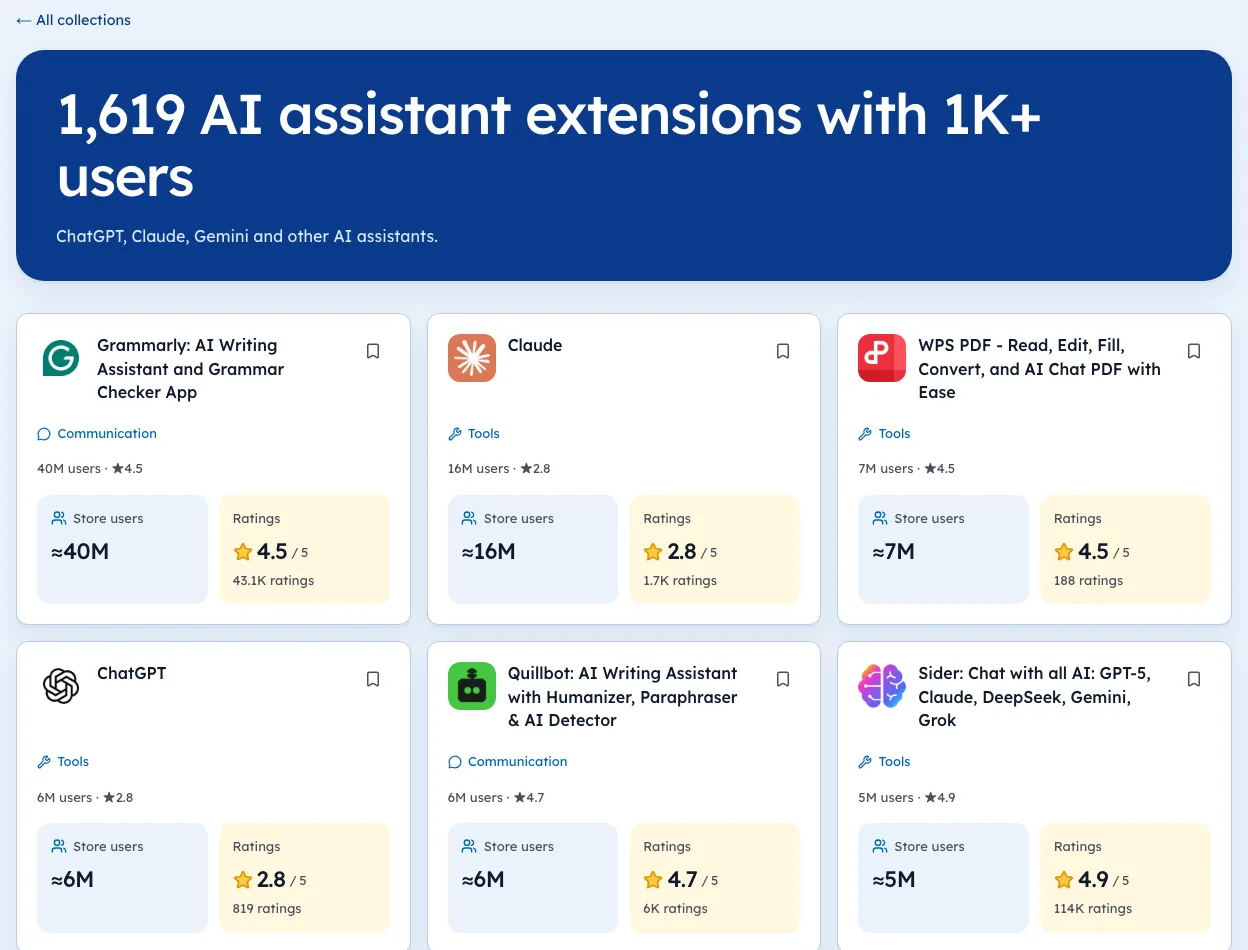
Keep money, growth and safety claims for your own checks. Our AI assistants niche page is a good dataset to practise on, with every number dated.
Building your dataset by hand
You don't need a data service to start. A small, careful table beats a large, undated one.
- Search the storefor your niche phrase.
- Open the top 20 listings
- Record name, users, rating, rating count, last update and websitein a sheet.
- Add today's datein its own column.
- Save it as CSVand attach it to your chat.
That takes about an hour. It's enough for the model to group, rank and compare without guessing.
Claims to always check by hand
Some claims are too important to leave to a model, even with good data.
| Claim | Why check | How |
|---|---|---|
| "This tool is free" | Pricing often isn't on the listing | Open its pricing page |
| "Users are leaving" | Needs two dated readings | Compare counts weeks apart |
| "This is the market leader" | Depends on how you count | Check users and rating count |
| "Nobody does this yet" | The model only knows your table | Search the store yourself |
The last row catches many founders. A model can only see what you gave it. "No tool in the table does X" isn't the same as "no tool does X".
When to use an MCP server instead
A hand-made CSV works for one niche. If you research often, or across many niches, a server that the model can query saves time. Our guide to MCP servers explains how that works, and our MCP page describes the one we're building, with a date on every number.
Where the AI earns its keep
Once facts are in, the model is fast. It'll cluster 200 listings by job-to-be-done, spot naming patterns, and draft the questions you should take to user interviews.
We're biased, since Ext Watch exists to supply dated tables like this. On 3 Oct 2026 we held store data for 65,655 extensions, out of 370,013 store sitemap IDs, and we say so beside the numbers. The method works with a hand-made CSV too.
For a worked prompt, see asking Claude what extension to build, and for the data side, a Chrome Web Store MCP server.
That count is the size of the problem. Push it to zero and the strange failure mode disappears.
Questions people ask
Can ChatGPT or Claude do market research for a Chrome extension?
They can organise research you give them. Without data, they produce believable estimates that you can't verify.
How do you stop AI from making up statistics?
Give it the data, tell it to cite rows, and tell it to say unknown when the data is silent. Then spot-check.
How do you know if an extension makes money?
Check its own website for a pricing page and payment checkout. The store listing often shows nothing.
What data should I give the AI for extension research?
Name, users, rating, rating count, last update date, permissions and publisher website for each listing, plus the date you collected it.
Can AI read Chrome Web Store reviews for me?
Only if you give it the text. The store's robots.txt disallows crawling review pages, so read them in your own browser and paste the ones that matter.
What changed
- Refreshed figures to our 3 Oct 2026 crawl and added ready-to-use prompts, a sample data table, how to spot-check answers and the questions AI handles well.
Where these numbers come from
- modelcontextprotocol.ioModel Context Protocol: introductionAccessed 3 Oct 2026
Part of our guide: What Is MCP Server? A Plain Guide for Extension Builders. More in AI and MCP.


4,581 extensions tracked in AI assistants. See them all.
Ask Claude about store data directly, or browse the openings yourself. Updated 3 Oct 2026 from our Chrome Web Store crawl