The short answer
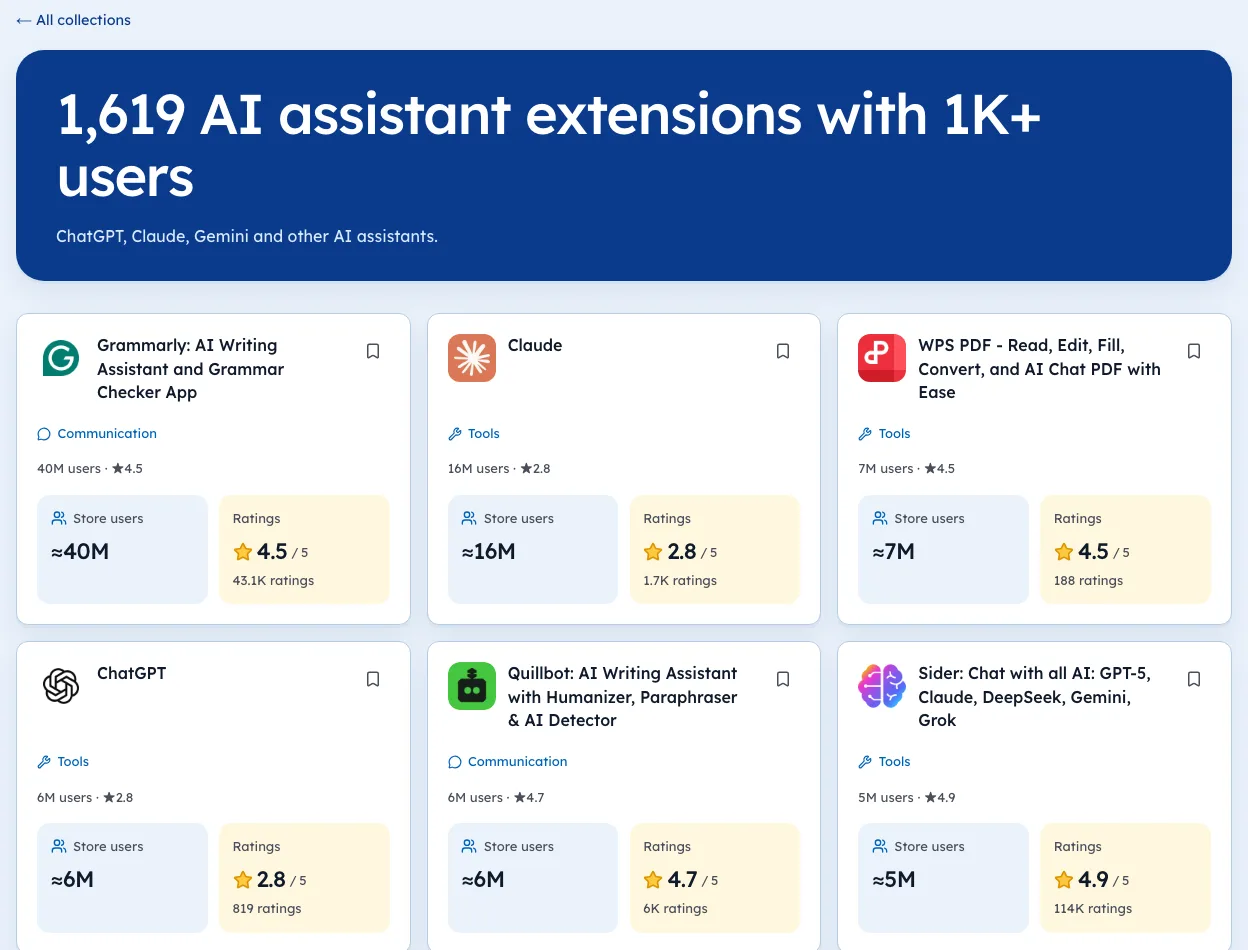
For fixing your own writing, the best AI writing Chrome extensions are Grammarly (40M users), QuillBot (6M, rated 4.70) and LanguageTool (2M, 4.66). ProWritingAid has the best rating among them at 4.82. For drafting from scratch, AI sidebars such as Sider and Merlin rate highest.
- Grammarly leads with 40M users and a 4.49 rating from about 43,000 people.
- ProWritingAid is the best rated editor at 4.82 from about 7,000 ratings.
- Of about 1,400 writing assistant listings, only 15 have 100,000+ users.
- Editors that fix your text rate higher than tools that write it for you.
The best AI writing Chrome extensions fall into two groups. Some fix what you wrote. Others write it for you. The store's numbers say people trust the first group much more.
We ranked both using real store data. This sits in our Chrome extension market research series, so every user count and rating below is the live store figure.
The best AI writing Chrome extensions at a glance
These are the writing helpers with real audiences: tools that check, rewrite or polish text in the boxes you already type into.
| Extension | Best at | Users | Rating (count) |
|---|---|---|---|
| Grammarly | Grammar and tone everywhere | 40,000,000 | 4.49 (about 43,000) |
| QuillBot | Paraphrasing | 6,000,000 | 4.70 (about 6,000) |
| LanguageTool | Grammar in many languages | 2,000,000 | 4.66 (about 12,600) |
| Wordtune | Rewriting sentences | 1,000,000 | 4.58 (about 2,400) |
| Jetwriter AI | Email replies | 500,000 | 4.56 (about 1,400) |
| Ginger | Grammar and spelling | 500,000 | 3.77 (about 1,600) |
| ProWritingAid | Long-form editing | 200,000 | 4.82 (about 7,000) |
Grammarly, and the honest alternatives
Grammarly is the default for a reason. 40M users is more than every other writing tool on this list combined, and it works in almost any text box.
But it isn't the best rated. QuillBot (4.70) and LanguageTool (4.66) both score higher. Good reasons to look elsewhere include price, language support and wanting fewer pop-ups.
- LanguageTool is the closest swap. It checks many languages, which helps if you write in more than English.
- ProWritingAid suits novelists and long reports. Its 4.82 from about 7,000 ratings is the best score among editors.
- QuillBot is the pick for rewording a paragraph rather than catching typos.
Fixers versus ghostwriters
Here's the pattern that surprised us. Tools that improve your own text rate consistently higher than tools that write text for you.
| Type | Examples | Typical rating |
|---|---|---|
| Fixes your writing | Grammarly, QuillBot, LanguageTool, ProWritingAid | 4.49 to 4.82 |
| Writes for you | JustDone, Compose AI | 3.69 to 4.05 |
JustDone (200,000 users, 3.69) and Compose AI (300,000 users, 4.05) both generate text from prompts. Neither comes near the editors.
A likely reason: when a tool polishes your words, you stay in charge and judge each change. When it writes the whole thing, every flat or wrong sentence counts against it.
People rate the tools that keep them in control more kindly.
AI sidebars that also write
A different kind of tool now does a lot of drafting: the all-purpose AI sidebar. You open it next to any page and ask for an email, a summary or a rewrite.
| Tool | Users | Rating (count) |
|---|---|---|
| Sider | 5,000,000 | 4.92 (about 114,000) |
| Monica | 3,000,000 | 4.89 (about 32,000) |
| Merlin AI | 900,000 | 4.79 (about 8,800) |
| HARPA AI | 400,000 | 4.69 (about 3,200) |
| HyperWrite | 90,000 | 4.30 (about 130) |
Sidebars rate far higher than the dedicated ghostwriters above. They don't promise one perfect output; they give you a model to talk to, and you shape the result.
For drafting from scratch, then, a sidebar beats a single-purpose "AI writer". For checking what you wrote, an editor still wins. Our best AI Chrome extensions guide covers the sidebars in more depth, and the AI assistants shelf lists them all.
Text expanders: the quiet favourite
One more group deserves a mention, though it isn't AI first. Text Blaze saves snippets you type often and fills them in with a shortcut. It has 800,000 users and rates 4.91 from about 1,900 people.
If most of your writing is the same five replies, a text expander saves more time than any AI tool. It's also fully predictable, which matters for support and sales teams.
The crowded middle
The writing shelf is crowded and top-heavy. Ext Watch counts about 1,400 active writing assistant listings. Only 15 have reached 100,000 users, and only 4 have passed a million.
So the long tail is enormous: hundreds of new "AI writer" listings with a handful of users each. For anyone picking a tool, that's a reason to stay with the names above. For anyone building one, it's a warning that "AI writing" alone isn't a gap.
The real openings are narrower: a specific kind of writing, a specific site, a specific language. Students show this well; see our best Chrome extensions for students for the tools they actually keep.
Our picks, plainly
- The safe default: Grammarly.
- Best rated editor: ProWritingAid.
- Best for many languages: LanguageTool.
- Best for rewording: QuillBot.
- Best for drafting: Sider or Merlin.
We're biased, being the makers of Ext Watch. You can browse the full writing assistants shelf or the wider Communication category on the site.
Pick one editor and one sidebar, and remove the rest. Your text boxes will thank you with fewer underlines fighting each other.
See the live ranking: best AI writing Chrome extensions, updated as the store changes.
Compare alternatives: Grammarly alternatives · Wordtune alternatives · Jetwriter AI alternatives · ProWritingAid alternatives · JustDone alternatives · Monica alternatives · HARPA AI alternatives.
Extensions in this guide
See the Writing assistants niche, or browse all Workflow & Planning extensions.
Questions people ask
What is the best AI writing extension for Chrome?
Grammarly is the most used, with 40M users. QuillBot and LanguageTool rate higher. ProWritingAid has the best rating among large editors, 4.82.
Is Grammarly better than QuillBot?
They do different jobs. Grammarly checks writing as you type everywhere. QuillBot is strongest at paraphrasing. QuillBot rates higher, 4.70 against 4.49.
What is a good Grammarly alternative for Chrome?
LanguageTool, with 2M users and a 4.66 rating, is the closest match. ProWritingAid suits long-form writers and rates 4.82.
Can AI writing extensions read what I type?
Yes. To check text in any box, they need access to the pages you write on. Use tools from publishers you trust, especially for work email.
Which AI extension writes emails for you?
Sidebar assistants such as Sider, Monica and Merlin draft emails from a prompt. Jetwriter AI focuses on email replies and has 500,000 users.
Where these numbers come from
- chromewebstore.google.comChrome Web Store
- developer.chrome.comChrome extension permissions reference
Part of our guide: Chrome Extension Market Research: A Step-by-Step Method. More in Market research.


1,551 extensions tracked in Writing assistants. See them all.
Users, ratings and new launches per niche, each dated. Store data, updated today