

★★★★★caco otuzüç
Çalışmıyor şu an, tamir edebliir misiniz?
Subtitle translator for Udemy. Also, Show YouTube subtitles to the corresponding language, No need for hierarchical menu selection.
by Orz99 · 2 listings
4 images from the publisher · use the arrows or pick one · swipe or pick one


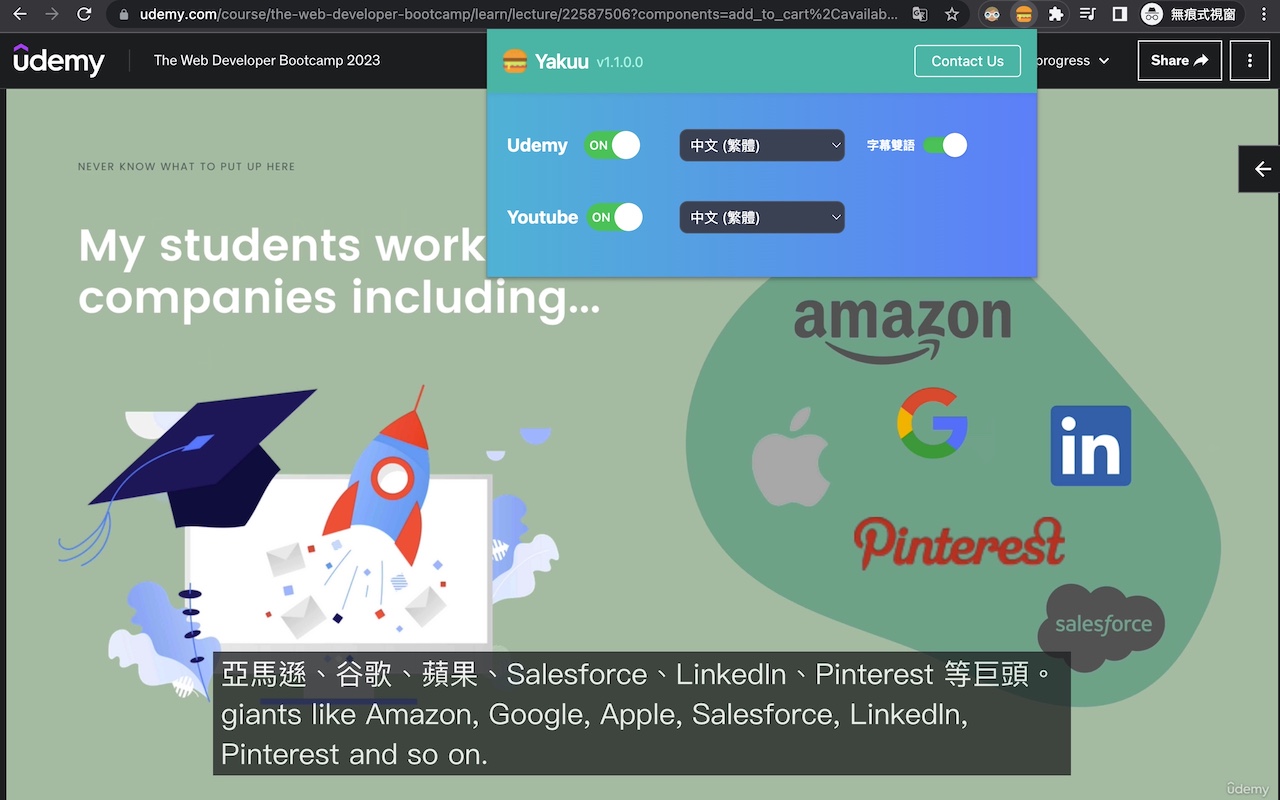
Learning Anywhere - in Any Languages.
Enables Udemy course subtitles to be translated and displayed in dual language mode.
Translation subtitles now natively support various display modes including full screen and auto-paging
Automatic display of translated subtitles in local languages when watching YouTube videos.
Usage of Udemy
That's it -- just open any Udemy course and enable captioning.
Usage of YouTube
Just click the subtitle icon on the video to enable subtitles, you don't have to open the options icon to specify the language each time.
Use the toolbar icon to enable or disable Yakuu extension at any time.
v1.2.0.0 ( 2023/02/19 )
All:
Supports all languages provided by Google Translate
Add the feature of specifying the target language for translation.
You can choose which language you want the subtitle to be translated into.
Udemy:
Supports early subtitle formats.
Translation subtitles now natively support various display modes including full screen and auto-paging.
Add bilingual subtitle feature, allowing you to switch between single and dual language subtitles at any time.
Çalışmıyor şu an, tamir edebliir misiniz?
Програма взагалі не прцює на Udemy. Пробувала різні варіанти встановлення і налаштувань, результат 0. Коли нарешті буде оновлення7
This page shows the listing as it is today. Add it to Radar and get one email when it changes.

What it is, what to use instead, what it can access and how to fix it.
Udemy Subtitle Translator - Yakuu is an Education extension by Orz99 with 10K users. Chrome Web Store users rate it 3.84 out of 5 from 167 ratings. By users it sits in the top 5% of Education extensions.
Udemy Subtitle Translator asks for 4 permissions and access to 3 site patterns. One of them gives wide access.
Permissions show what it could do, not what it does. See the full permission list.
tabsSee the address and title of every open tabhttps://*.udemy.com/*https://*.youtube.com/*https://translate.googleapis.com/*tabsscriptingstoragedeclarativeContentSensitive marks access that reaches your data or other sites. The access level is a 0 to 100 score of all of it: under 25 is Low, 60 and up is High.
1 starПрограма взагалі не прцює на Udemy. Пробувала різні варіанти встановлення і налаштувань, результат 0. Коли нарешті буде оновлення7
2 starsThis extension is not working. It keeps showing: ‘Could not establish connection. Receiving end does not exist.
Still stuck? Contact the maker or try an alternative.
Track any extension on Radar: users, rating, permissions and store text, with one email when something moves.


