The short answer
A tip link is a tip jar: easy to add, no code, and good for goodwill. Stripe is a till: more setup, but it lets you sell real paid features, check who paid, and run subscriptions. Start with a Chrome extension Buy Me a Coffee link if you're unsure anyone will pay, then move to Stripe.
- Tips are thank-yous, not a business.
- Buy Me a Coffee needs only a link in your extension.
- Stripe needs a server, but lets you open features to paid users only.
- ExtensionPay is a middle path built on Stripe, with a 5% fee.
A busker's hat and a ticket booth both collect money. Only one decides who gets in.
That's the whole choice between a Chrome extension Buy Me a Coffee link and a real checkout. Do you want thanks, or do you want to sell access?
Side by side
| Buy Me a Coffee | Stripe (direct) | ExtensionPay (on Stripe) | |
|---|---|---|---|
| What it is | Tip and membership page | Payment platform | Payments made for extensions |
| Setup | A link | Your own server and checkout | A small library, no server |
| Locks paid features | No | Yes, via your server | Yes |
| Subscriptions | Memberships on its site | Yes | Yes |
| Fees | See their site | Varies by country, see stripe.com/pricing | 5% per charge, no monthly fee |
The ExtensionPay fee is from extensionpay.com, checked 3 October 2026. We haven't quoted Buy Me a Coffee's fee because we couldn't confirm it from their pages on that date. Check buymeacoffee.com before you decide.
Still choosing how to earn at all? Start with our overview of every way extensions earn.
When a Chrome extension Buy Me a Coffee link is the right call
- The tool is tiny and finished.
- You never want to run a server.
- You're testing whether people care at all.
A tip link costs nothing to try. Put it in your options page and the post-update screen, not in a popup that fires on first use.
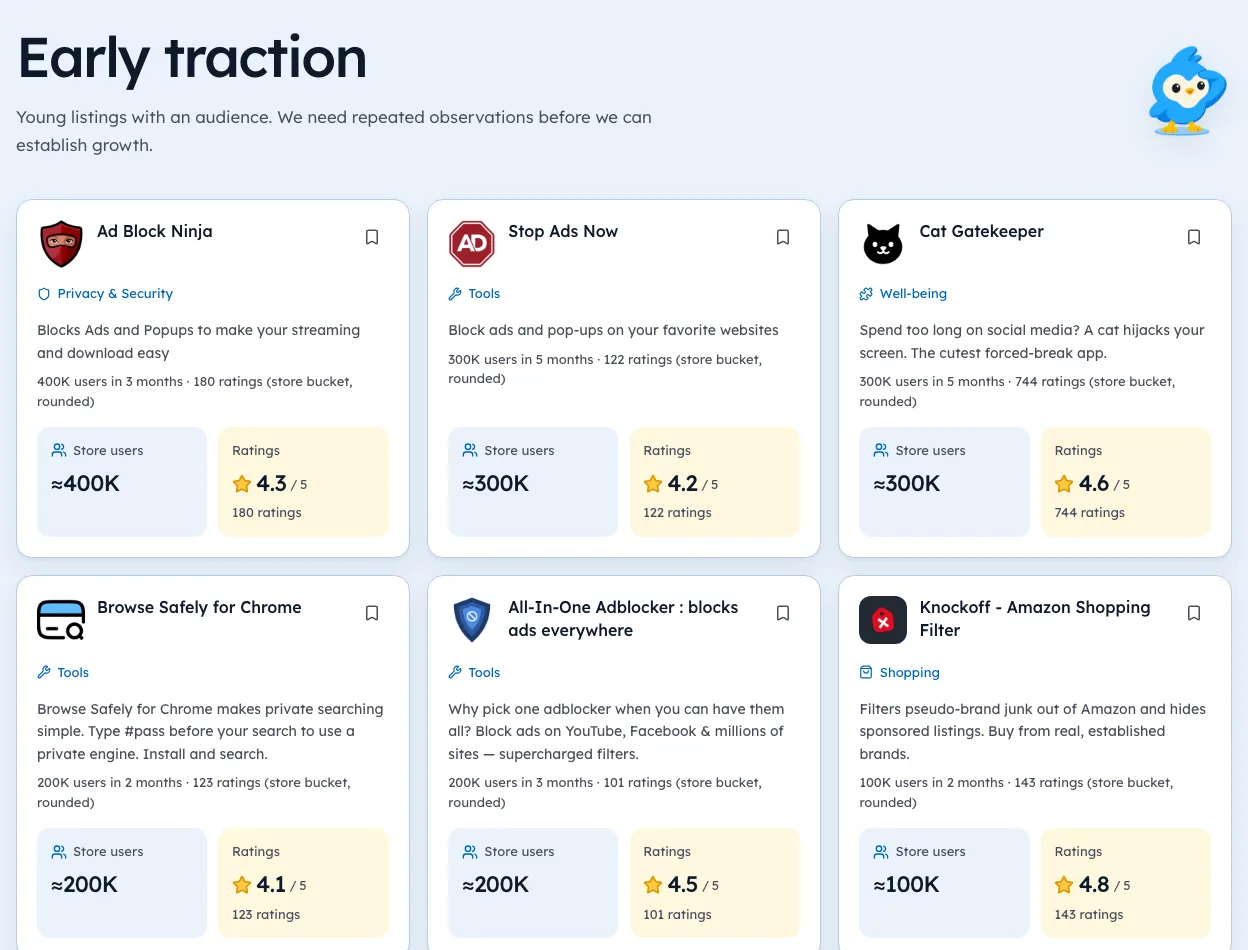
You can check these figures yourself on the ad blockers page.
When you need Stripe
- You have a feature that costs you money to run.
- You want monthly or yearly plans.
- You need to know, reliably, who paid.
Stripe can't gate anything on its own. Your server listens for "this user paid" and your extension asks the server before opening paid features. Our guide to a Chrome extension paywall covers the pattern.
The middle path
ExtensionPay wraps Stripe for extension builders: it handles plans, trials and logins, and your extension asks it who's paid. In our crawl of 65,655 extensions (3 October 2026), 164 listings pointed to extensionpay.com and 36 to stripe.com.
Many bigger tools use Stripe on their own website and don't show up in manifests at all, so read those counts as small-builder habits.
Where to put a tip link
Placement matters more than the button design. A link nobody sees earns nothing. A link that nags earns one-star reviews.
| Place | Works well? | Why |
|---|---|---|
| Options page | Yes | People who visit settings are engaged |
| After-update page | Yes | Users see what's new and why it matters |
| After a success moment | Yes | They just got value |
| First-run popup | No | They haven't seen any value yet |
| Every popup open | No | Feels like nagging |
One link in two places is plenty. Say plainly what tips pay for, like "keeps this free and updated".
Other tip options
Buy Me a Coffee isn't the only tip jar. Ko-fi, GitHub Sponsors and Patreon all work the same way from an extension's point of view: a link to an outside page.
- GitHub Sponsors suits open-source tools with developer users.
- Patreon suits makers who post updates or extras.
- Ko-fi and Buy Me a Coffee suit simple one-off tips.
Check each one's current fees and payout rules on its own site. In our 3 Oct 2026 crawl, only 4 extension summaries mentioned a tip page by name, so most builders keep the link inside the extension, not in the store listing.
What tips tend to add up to
We can't measure tip income across the store, since none of it is public. What builders commonly report is that tips feel good and cover small costs, like a domain or a server, rather than a salary.
That's fine if the goal is goodwill. If you need the tool to pay real bills, plan on a paid feature. Our guide to thinking in income ranges shows how to estimate what a paid plan might bring.
Moving from tips to paid
When the time comes, switch in a way that keeps early supporters happy.
- Keep the free version usefulDon't take away what people already have.
- Add the paid feature on top, ideally something that costs you to run.
- Thank tippers, maybe with a discount or early access.
- Explain the changein update notes, in plain words.
- Keep the tip linkfor people who'd rather give than subscribe.
Tools that move this way rarely see the backlash that comes from suddenly charging for old features. You can see how others in your space charge on our niche pages.
Setting up a tip link in five minutes
Adding a tip link takes no server and almost no code.
- Create a pageon your tip service of choice.
- Add a linkin your options page that opens it in a new tab.
- Add one lineto your after-update page, like "Enjoying this? You can say thanks here."
- Mention it in your listingif you like, in one sentence near the end.
- Check it worksfrom a fresh Chrome profile.
Keep the wording warm and short. "Buy me a coffee" works because it's small and friendly, not because of the brand.
Writing the thank-you
The message around a tip link matters as much as where it sits. A few lines that tend to land well:
| Situation | Message |
|---|---|
| After an update | "New in this version: ... If it helps, a coffee keeps updates coming." |
| On the options page | "Built by one person. Tips cover hosting and fixes." |
| After a big save | "That saved you some time. Want to say thanks?" |
Avoid guilt. "Please donate or this tool will die" tends to bring complaints, not tips.
Comparing tips with a small paid feature
If you're unsure which to try first, run both in your head with your own numbers.
- Tips: a small share of users give once, now and then.
- A paid feature: a small share pay, but they pay every month.
Even a tiny share paying monthly usually beats occasional tips. The catch is that a paid feature needs a server check and a reason to pay. Our guide to adding a paywall covers the server side. You can see what rivals charge for on our extension search.
When to switch
Move from tips to a real paid plan when:
- People ask for a feature you'd need a server for. The monetization models guide compares the plans.
- Tips arrive regularly, which means people already value it.
- A competitor charges for something you give away.
We're biased, but you can check point 3 in Ext Watch: open the extensions directory, filter your category, and see which competitors carry a payment host.
Add a tip link this week and count who clicks. That count tells you whether to build the till.
Questions people ask
Can you add Buy Me a Coffee to a Chrome extension?
Yes. It's just a link. Open it in a new tab from your options or popup page.
Does Stripe work inside a Chrome extension?
Through your own checkout page and server. Never put secret keys in extension code.
Which earns more?
Paid features usually earn more than tips, if the feature is worth paying for.
Is Ko-fi or Buy Me a Coffee better for extensions?
Both work as a link. Pick the one whose page and payout options suit you, and check each one's current fees on its own site.
Do tip links break Chrome Web Store policy?
A plain link to a tip page is fine. Avoid nagging popups and never pretend a tip is required to use a feature.
What changed
- Refreshed payment host counts to our 3 Oct 2026 crawl and added where to place a tip link, other tip options, what tips tend to add up to, and a migration plan to paid.
Where these numbers come from
- stripe.comStripe pricingAccessed 3 Oct 2026
- extensionpay.comExtensionPay homepageAccessed 3 Oct 2026
Part of our guide: How to Make Money with Chrome Extensions: Proof First. More in Make money with extensions.


355 extensions tracked in Ad blockers. See them all.
Open niches with paying users and weak competition, checked against the store. Updated 3 Oct 2026 from our Chrome Web Store crawl