The short answer
How to make money with Chrome extensions: charge for a job people already do in their browser, usually through a subscription on your own website. Before building, check three things in public: real demand, weak competitors, and proof that someone in the niche already takes payment.
- Most paid extensions bill on their own site, so the store listing rarely shows a price.
- Demand is a user count with a date, read as a rounded store bucket.
- A competitor's pricing page is better proof of money than any badge.
- Treat "no paid evidence found" as unknown, never as free.
Say you've got a weekend and an idea for a browser tool. The code is the easy part. The hard part is knowing whether anyone will pay.
This guide on how to make money with Chrome extensions is the checking routine. It takes about an hour per idea, and it uses only public pages.
How to make money with Chrome extensions: where it comes from
The Chrome Web Store lists extensions. It doesn't sell them. Payment happens somewhere else, almost always on the developer's own website.
That one fact explains a lot of bad research. If you only read store listings, a busy subscription business can look like a free tool.
| Model | How it charges | Where you'll see proof |
|---|---|---|
| Subscription | Monthly or yearly plan | Pricing page, checkout links |
| Freemium | Free core, paid limits | "Upgrade" or "Pro" page on the site |
| Credits | Pay per use | Credit packs on the pricing page |
| One-time licence | Single payment | Checkout or licence-key page |
| Companion | Free add-on to a paid service | The parent product's pricing |
Whatever you charge, the listing itself must follow the store's program policies, so read them before you build.
Step 1: Read demand with its date
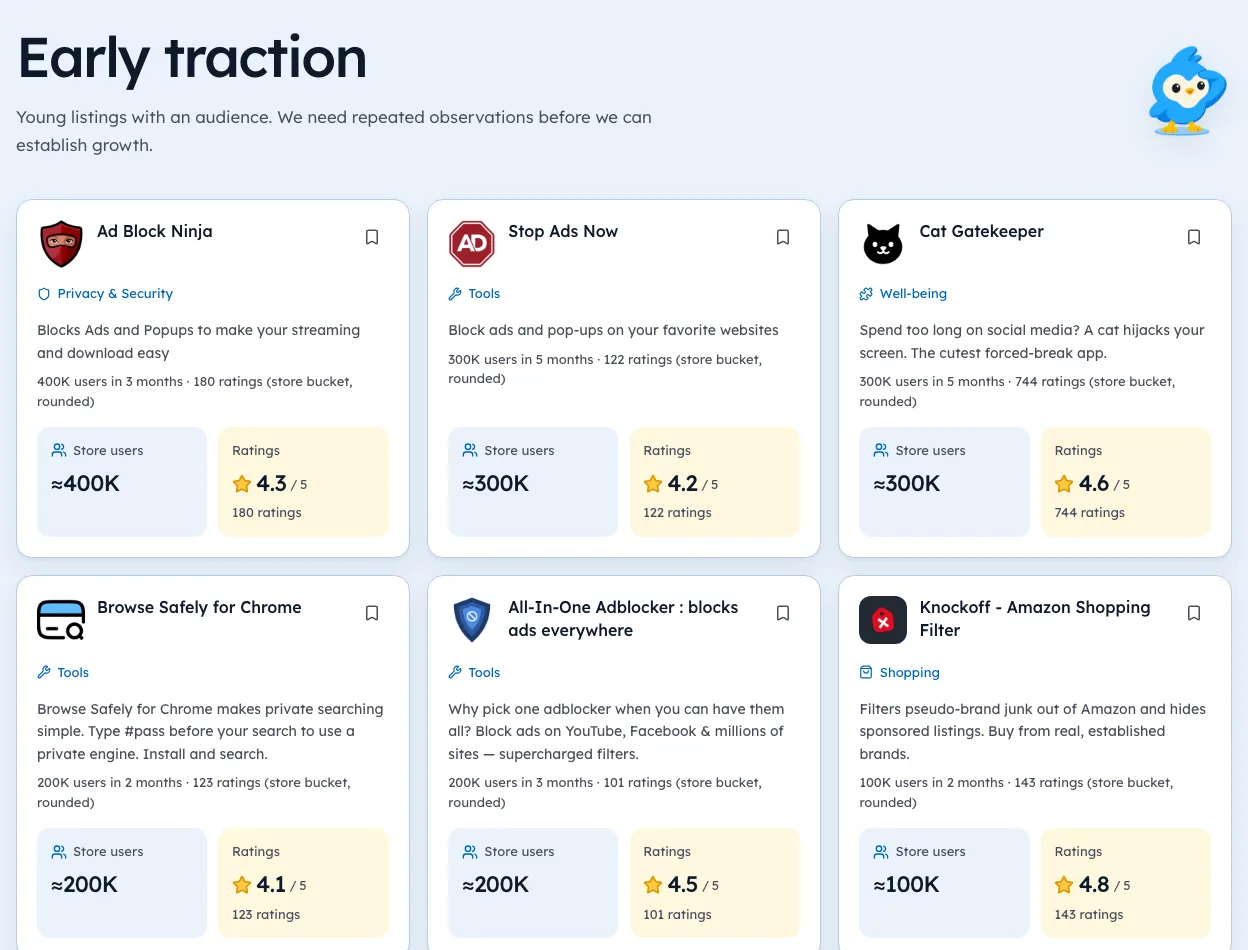
Start with the user count on the listing. Write it down with the day you saw it. Our guide to Chrome extension market research goes deeper on reading demand.
Store counts are rounded buckets, so "100,000+" means somewhere at or above that line. Never compare two listings' counts from different days as if they were growth. One reading is a snapshot.
Step 2: Find out who already charges
Open the website link on each competing listing. Look for these four things:
- A pricing or "Pro" page with real prices.
- A checkout provider, like Stripe, Paddle, LemonSqueezy or ExtensionPay.
- A refund policy and terms that name a company.
- A support email that isn't a free webmail address.
Two or more of these is solid proof of a paying niche. None of them means you don't know yet. It doesn't mean the niche is free.
Step 3: Look for a weak incumbent
Money plus demand isn't enough. You also need a reason buyers would switch.
Look at the lifetime rating and how many ratings sit behind it. A 3.4 from 40 ratings is noise; a 3.4 from 4,000 is a pattern worth reading.
Then check the last update date on the listing, and remember a quiet product can simply be stable.
Our guide to finding extension ideas covers how to spot these gaps across a whole category.
Step 4: Price from the evidence
Take the entry price from two or three real competitor pricing pages. Start near the middle, not the bottom. The guide to monetizing a Chrome extension covers plans and reviews.
We make Ext Watch, so we're biased toward checking data first. Its Inspect view puts the listing facts and their observation dates on one page, which saves the copying.
Every guide in this series
This page is the hub for our guides on making money. Each one goes deeper on a single step:
- Most Profitable Chrome Extensions and the Pattern Behind It
- Is a Chrome Extension a Business, or a Feature?
- Buy Me a Coffee vs Stripe for Chrome Extensions
- Chrome Extension Revenue on Reddit
- Sell a Chrome Extension
- How to Make Money With a Chrome Extension
- How Do Chrome Extensions Make Money? 7 Models, Live Examples
- Selling a Chrome Extension
- Momentum's Revenue Story
- Build and Sell Chrome Extensions as a Repeatable Strategy
- Profitable Chrome Extensions
- Chrome Extension Business Model Teardown
- Top Paid Chrome Extensions and How They Price, 2026
- Are Chrome Extensions Profitable? A Data-First Answer
- Can You Make Money From Chrome Extensions in 2026?
- Buy a Chrome Extension
- Chrome Extension Profit
- Chrome Extension Income
- Chrome Extension Revenue
What not to believe
- A screenshot of someone's revenue dashboard. You can't verify it.
- "This extension makes $X a month" about a product you don't own.
- A "trending" label from a single day of data.
Revenue is private. Pricing pages, payment providers and dated listing facts are public, and they're enough to decide.
Fill in that five-row table tonight. The weekend idea can wait one more day.
Questions people ask
Can you really make money with Chrome extensions?
Yes, but the store doesn't take payment for you. Developers charge through their own checkout, such as Stripe, Paddle or ExtensionPay, and switch on paid features with a licence check.
Do Chrome extensions have to be free?
Listing on the Chrome Web Store is free, and many paid extensions offer a free tier. Charging happens on the developer's own site, so check their pricing page rather than the listing.
How do you know if an extension makes money?
Look for a pricing page, a checkout provider, a refund policy and terms naming a company. Revenue itself is private; anyone quoting an exact monthly figure for someone else's extension is guessing.
Where these numbers come from
- developer.chrome.comChrome Web Store program policiesAccessed 3 Oct 2026
- chromewebstore.google.comChrome Web Store robots.txtAccessed 3 Oct 2026


94 extensions tracked in TikTok Shop tools. See them all.
Open niches with paying users and weak competition, checked against the store. Updated 3 Oct 2026 from our Chrome Web Store crawl