The short answer
Chrome extension idea validation takes one evening: search the store for existing tools, note their users, ratings and last update dates, read their 1-star reviews, and check their websites for pricing. If people use tired tools for the job and some of them pay, the idea is worth building.
- Existing users are the best proof of demand.
- Weak or stale leaders are the best proof of room.
- A pricing page on a competitor's site is the best proof of money.
- Big user counts can be pushed by employers, so check the rating count too.
Chrome extension idea validation matters because lots of ideas die after the code is written.
That's the expensive place to find out. You can find out most of what matters in one evening with a browser and a notes file.
Step 1: Write the kill rule first
Decide what would make you drop the idea. Write it down before you look. If you haven't picked a niche yet, start with our guide to finding Chrome extension ideas.
Otherwise you'll talk yourself into anything, because every builder who has already fallen for an idea can find a reason to explain away a crowded market or a happy set of reviews.
Say your idea is a better Gmail follow-up reminder. Your kill rule might be: "If the top five tools are rated 4.5+ and updated this year, stop."
Step 2: Find the existing tools
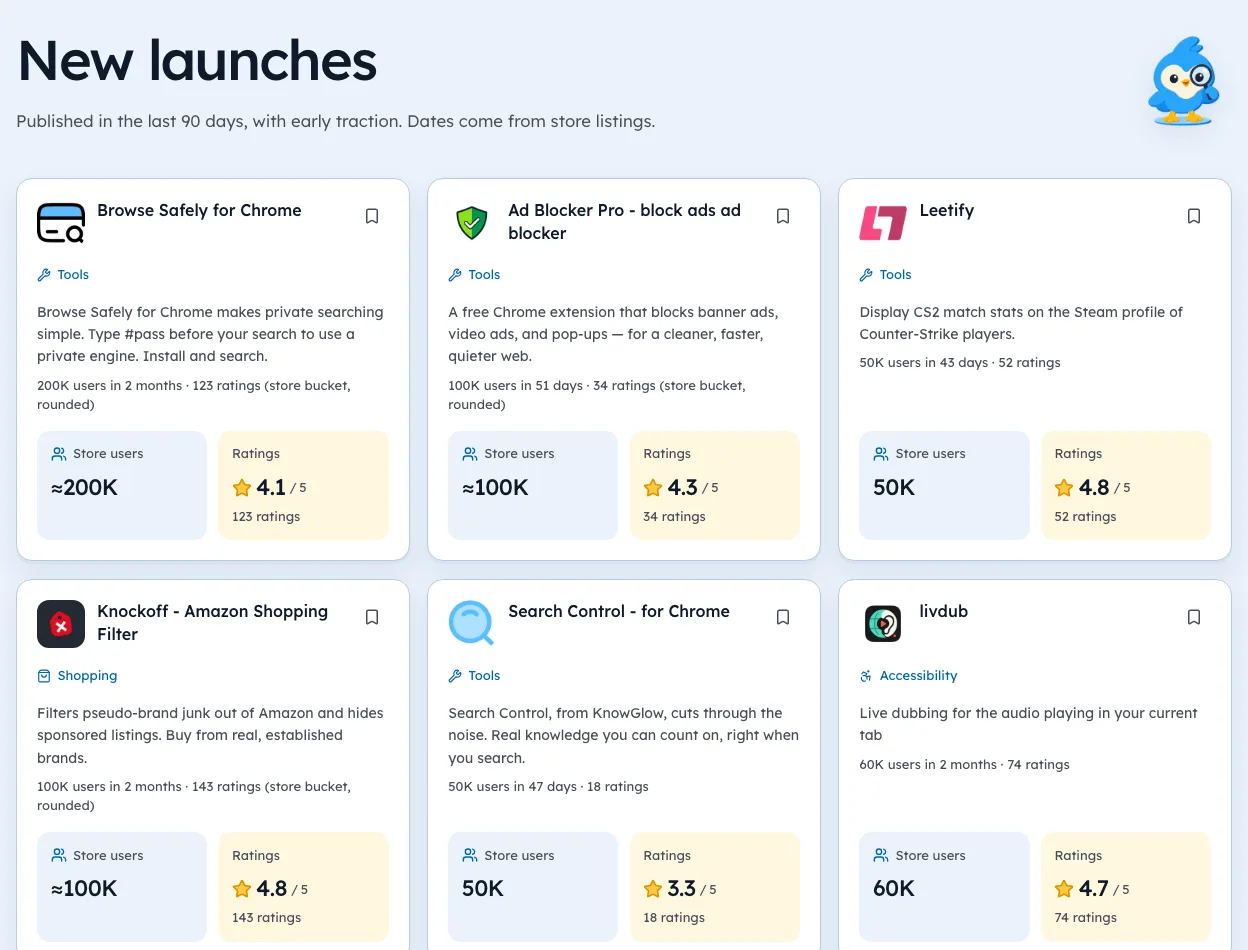
Search the Chrome Web Store with three phrasings of the idea. For each of the top five results, write down:
| What to note | Why it matters | Watch out for |
|---|---|---|
| Users | Proves people want the job done | The store rounds these, like "100,000+" |
| Rating and rating count | Shows satisfaction | A 4.9 from 8 ratings means little |
| Last updated date | Shows if anyone is still improving it | Old isn't always broken |
| Publisher | Big brand or solo dev | Company tools can be forced installs |
| Website link | Where pricing lives | Some link to a GitHub page only |
Step 3: Check the users are real choosers
Some huge extensions aren't chosen by their users at all. Corporate sign-in tools and exam-proctoring add-ons can carry millions of users and low ratings. People install those because a company or school tells them to.
So compare users to ratings.
Millions of users and a low rating often points to a captive audience. You can't win those users with a better product, because they didn't pick the first one.
Step 4: Read the 1-star reviews
Open the reviews on each leader's store page and sort for the lowest ratings. You're looking for the same complaint three times. One angry review is noise. Three people describing the same failure is a feature request.
Note the dates.
A complaint from last month matters more than one from 2021, since the developer may have fixed the old problem long ago while the new one is still sitting there unanswered. Our guide on finding demand in 1-star reviews covers this step in detail.
Step 5: Look for money
Visit each competitor's website. Look for Pricing, Upgrade, Pro or Plans. Paid extensions bill there, because Google ended payments in the store.
Two competitors with paid plans is the green light. It means buyers exist and accept paying for this job.
Chrome extension idea validation, put together
| What you found | What it suggests |
|---|---|
| Big users, weak or stale leaders, paid plans | Build it |
| Big users, strong fresh leaders | Find a narrower angle or skip |
| Big users, captive audience | Skip |
| Few users anywhere | Check search demand before going further |
| Users and complaints, no paid plans | Build only if you have a clear upgrade idea |
Say your Gmail reminder check found three leaders over 100K users, two rated under 3.8 and one with a pricing page. That passes most kill rules.
A cheap test before code
If the check passes, make a one-page site describing the extension, with a "Get notified" box. Share it where the users gather. Sign-ups from strangers are a stronger signal than any spreadsheet.
Where Ext Watch helps
We're biased, since we build it. Ext Watch does steps 2 and 3 for any search, with users, rating count, update gap and publisher size, each dated. It doesn't store review text yet, so step 4 is still a trip to the store page. Payment signals show as "unknown" until we've checked a site.
More reading: business ideas with paying users and Reddit ideas checked against the store.
Write the kill rule tonight. Then go look, and let the rule decide.
Questions people ask
How do you know if your Chrome extension idea is good?
Existing users show demand and weak leaders show room. Competitor pricing pages are the money check.
Should you build an extension if competitors exist?
Competitors prove demand. Build if they're poorly rated or miss a job users keep asking for.
How much demand does an extension idea need?
There's no fixed bar. Several competitors with tens of thousands of users each is a healthy sign for a niche.
Where these numbers come from
- chromewebstore.google.comChrome Web StoreAccessed 3 Oct 2026
Part of our guide: What Is Micro SaaS? A Plain Guide With Real Examples. More in Extension ideas.


355 extensions tracked in Ad blockers. See them all.
Real demand, weak competition, with the numbers behind each one. Updated 3 Oct 2026 from our Chrome Web Store crawl