
The short answer
The Chrome Web Store publishes no search volume, so keyword research for extensions means using other evidence. Use Google autocomplete to confirm people search a phrase, the names of leading listings to see what wins, and store reviews for the words users actually say. Then put the best phrase in your name and first line.
- No public store search volume exists.
- Autocomplete proves a phrase is searched, not how often.
- Competitor names show which words the store rewards.
- Reviews give you the user's own phrasing.
Chrome extension keyword research is like fishing in murky water. You can't see the fish. You can see where other people's lines are, and where the ripples are.
Why there's no store volume
Google doesn't publish how often people search inside the Chrome Web Store. Any tool showing "store search volume" is estimating from something else. Ask it what. The wider playbook sits in Chrome Web Store SEO.
Web search volume tools measure Google searches. That's useful, but it's a different audience from people typing into the store's own search box.
A free Chrome extension keyword research method
- Start with the jobWrite the task your tool does, in plain words.
- Check Google autocompleteType the phrase and note what completes. If it shows up, real people search it.
- Search the store for itNote the names of the top listings and which words repeat (our guide to store ranking explains what the order means).
- Read reviews of those listingsCopy the exact words users use for the problem. Ratings show which listings users actually like.
Pick the phrase that appears in all three places. Then use it in your name and the first line of your description.
Phrases that mean something else
When we ran autocomplete on store-related phrases on 3 Oct 2026, some obvious-looking terms turned out to mean different things.
| Phrase you might target | What searchers seemed to want |
|---|---|
| chrome extension pricing | Price tracker extensions |
| paywall extension | Paywall bypass tools |
| downloads extension | Video downloaders |
| monetization checker | A YouTube tool |
These come from our own autocomplete pull on that date. Check what a phrase completes to before you build a page around it.
A worked example: two niches, one pattern
The fastest way to see what the store rewards is to count the words in the names that already won. We did this for two niches in our crawl on 3 Oct 2026, looking only at extensions with 10,000 or more users.
| Niche | Listings with 10k+ users | Most common name words |
|---|---|---|
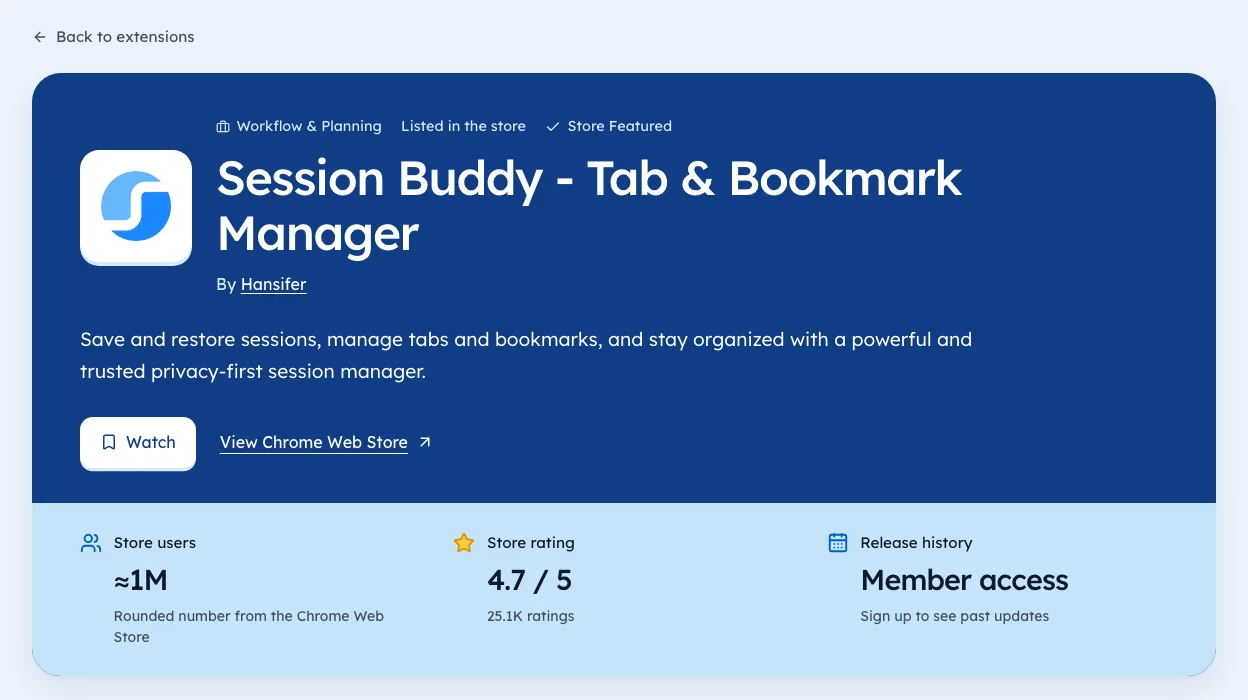
| Tab managers | 32 | tab (27), manager (17), suspender (6), session (6) |
| Screen recorders | 57 | screen (48), recorder (44), video (13), screenshot (11) |
The pattern is plain. The winners name the job in two words and stop. "Screen recorder" shows up in nearly every big listing in that niche, because that's the phrase people type.
The second tier of words is where the openings sit. "Suspender" and "session" are smaller jobs inside tab management. If your tool saves sessions, that's the phrase to lead with, since fewer big listings compete for it.
Counts are from Ext Watch's crawl of the Chrome Web Store, observed 3 Oct 2026. A listing can sit in more than one niche.
Turning research into a listing
Research only pays off once it lands on the page. The store shows three things before anyone clicks: the name, the icon and a short summary. So the phrase has to fit there.
Here's a simple order that keeps things honest:
- Namethe job phrase first, then a brand word if you want one. "Session Saver for Chrome" beats "Nimbus" for a new listing.
- Summaryone sentence that repeats the job and adds the outcome. Keep it under the store's limit and read it aloud.
- Description, first linethe same phrase again, then the user's own words from the reviews you collected.
- Screenshotsa caption on the first image that names the job in the same words.
Don't repeat the phrase ten times. Once in each spot is enough, and it reads like a person wrote it.
Checking your guess after launch
Keyword work is a guess until users arrive. The store gives you some feedback inside the developer dashboard, including where installs came from. Google's discovery docs explain the general signals it uses.
Outside the dashboard, watch three things for the first month:
- Your rating count. It's the slowest number to fake and the best sign real people found you.
- Where you appear when you search your main phrase in the store, checked on the same day each week.
- What new reviewers call your tool. If they use a different phrase, try it in your summary.
Write each reading down with the date. Store search moves, and a note from four weeks ago is the only way to tell if a change helped. Our guide to store ranking covers what else moves the order.
Mistakes we see in listings
Some errors come up again and again when we read listings in a niche.
- Clever names with no job word. They can work for a big brand. For a new tool, nobody searches a word they've never heard.
- Copying a leader's name too closely. It confuses users and can break Google's rules on impersonation in its program policies.
- Writing for search engines only. A summary stuffed with phrases reads badly and can get flagged as spam.
- Targeting a phrase that means something else. The table above shows how "paywall extension" pulls people who want the opposite.
Fix these before you spend time on anything fancier. They cost nothing to change.
Research a whole niche in one sitting
Single phrases are a start. For a new tool, it's worth mapping the whole niche before you pick one. Here's a routine that takes about an hour.
- List every listing with 1,000 or more usersin the niche. Our niche pages group them, or search the store by hand.
- Copy each name and summaryinto a sheet, one row each.
- Count the wordsacross the names, like we did above.
- Mark the second-tier words, the ones used by a handful of listings, not most.
- Search Google autocompletefor each second-tier word plus "chrome extension".
- Pick one phrasethat autocomplete confirms and few big listings use.
The output is a short list of phrases with real demand and thin competition. That's the list you build the listing around.
| Column in your sheet | Why it helps |
|---|---|
| Name | Shows the words that win |
| Users bucket | Shows how big each winner is |
| Rating count | Shows whether the audience is real |
| Last update | Shows whether the leader is still active |
| Main phrase | The job in the listing's own words |
Where reviews beat every keyword tool
Reviews are the closest thing to a transcript of what users want. They also show the words people use when something breaks, which is when they search for a replacement.
Read the three-star reviews first. Five-star reviews say "great tool". One-star reviews are often angry and vague. Three-star reviews tend to name the exact thing missing, in plain words.
Write down any phrase that shows up in three or more reviews across different listings. Those phrases are often better than anything a tool suggests, because they come from people who already installed something like yours.
Checking the phrase against our data
Once you have a phrase, it's worth a quick check against the store as a whole. We're biased, since we build Ext Watch, but this is the step our data helps with. A search on our extensions page shows every listing using a phrase, with users and rating counts dated to the day we checked.
Look for three things. How many listings use the phrase. How many of those have 10,000 or more users. And how many of the big ones haven't shipped an update in over a year. A phrase where the leaders have gone quiet is often the best place to start, which our gone quiet list tracks.
Where we fit
We're biased, since we build Ext Watch. Our search covers the names, categories and summaries of 65,655 extensions with store data (observed 3 Oct 2026), so you can see which words the big listings in a niche share. We don't show store search volume, because nobody outside Google has it.
The water stays murky. Fish where the ripples are.
Questions people ask
How does Chrome Web Store search work?
Google hasn't published the details. Its docs say rankings use ratings and usage signals.
Is there a keyword tool for Chrome extensions?
Tools can show web search data and store listings. None has official store search volume.
Can I see how many people search for my extension in the Chrome Web Store?
No. Google doesn't publish store search volume, so use autocomplete, competitor listings and reviews to judge demand.
Should my extension name include the keyword?
Yes, if it reads naturally. The big listings in most niches lead with the plain job, like \"Tab Manager\" or \"Screen Recorder\", then add a brand word.
How long should a Chrome extension name be?
In our 3 Oct 2026 crawl, the median name among extensions with 100,000+ users was 23 characters. Short names with one clear job word are the norm.
What changed
- Added a worked example from our 3 Oct 2026 crawl, a listing checklist and two new questions.
Where these numbers come from
- developer.chrome.comChrome Web Store discovery docsAccessed 3 Oct 2026
- developer.chrome.comChrome Web Store program policiesAccessed 3 Oct 2026
Part of our guide: Chrome Web Store SEO: titles, descriptions, screenshots. More in Growth and ranking.


745 extensions tracked in SEO extensions. See them all.
Extensions gaining users fastest, and what they changed. Updated 3 Oct 2026 from our Chrome Web Store crawl