
The short answer
Chrome Web Store SEO comes down to three parts of the listing: a title that names the job, a description whose first lines repeat it in plain words, and screenshots that show the tool working. Big listings in our 3 Oct 2026 crawl kept names short, around 22 characters at the median, and most showed three or more screenshots.
- Title: median length was 22 characters for 1M+ extensions (3 Oct 2026).
- Description: lead with the job, not the brand story.
- Screenshots: 65.6% of 1M+ listings had three or more (3 Oct 2026).
- Keyword stuffing breaks store policy, so keep it readable.
Chrome Web Store SEO feels like it should be complicated. Most of it is just telling people what the thing does, clearly, in the spots they look first.
You need a built extension first, so start with our Chrome extension development guide if you don't have one.
Chrome Web Store SEO starts with the title
Say your extension blocks YouTube Shorts. A title like "Shorts Blocker for YouTube" tells the searcher and the store what it is in five words.
Big listings agree. On 3 Oct 2026 the median name length was 22 characters for 1M+ extensions and 23 for those with 100K to 1M users.
| Users | Extensions | Median name length |
|---|---|---|
| 1M+ | 346 | 22 characters |
| 100K to 1M | 1,472 | 23 characters |
| 10K to 100K | 6,149 | 22 characters |
| 1K to 10K | 16,727 | 22 characters |
The lengths barely change across sizes. So a short, clear name looks like the norm, and a long keyword-packed one looks out of place.
The description
Google's listing guide asks for a clear overview first, then details. The short summary line shows up in search results, so it does the most work.
- First line:the job, in the words people search (our keyword research method finds them).
- Next lines:three or four things it does, one per line.
- Then:what it needs access to, and why.
- Last:how to get help.
The store's program policies ban misleading or keyword-stuffed listings. A list of twenty competitor names in your description can get the listing pulled.
Write for the person reading, and the search part mostly follows.
Screenshots
Across sizes, bigger listings showed more screenshots.
- 1M+: 65.6% had three or more.
- 10K to 100K: 54.6%.
- Under 1K: 45.1%.
We can't say screenshots cause growth. It's still cheap to add three that show the tool doing its job on a real page.
Ratings
Ratings are part of how people judge a listing, and Google lists user signals in its discovery notes. Ask happy users at a good moment, like after a task works. Never buy them. Our ratings guide shows what normal looks like, and Chrome Web Store stats has the wider numbers.
Every guide in this series
This page is the hub for our guides on store growth. Each one goes deeper on a single step:
- Chrome Web Store Pending Review
- Chrome Extension Growth
- Chrome Web Store reviews
- How long does Chrome Web Store review take? The process and timing
- Chrome Web Store Policy Rules That Get Extensions Removed
- Buy Chrome Extension Installs? Why It Backfires Every Time
- Chrome Web Store Ratings
- Chrome Extension Keyword Research Without Store Volume
- Chrome Web Store Featured Badge
- Chrome Web Store ranking
- Chrome Extension Marketing
Where Ext Watch fits
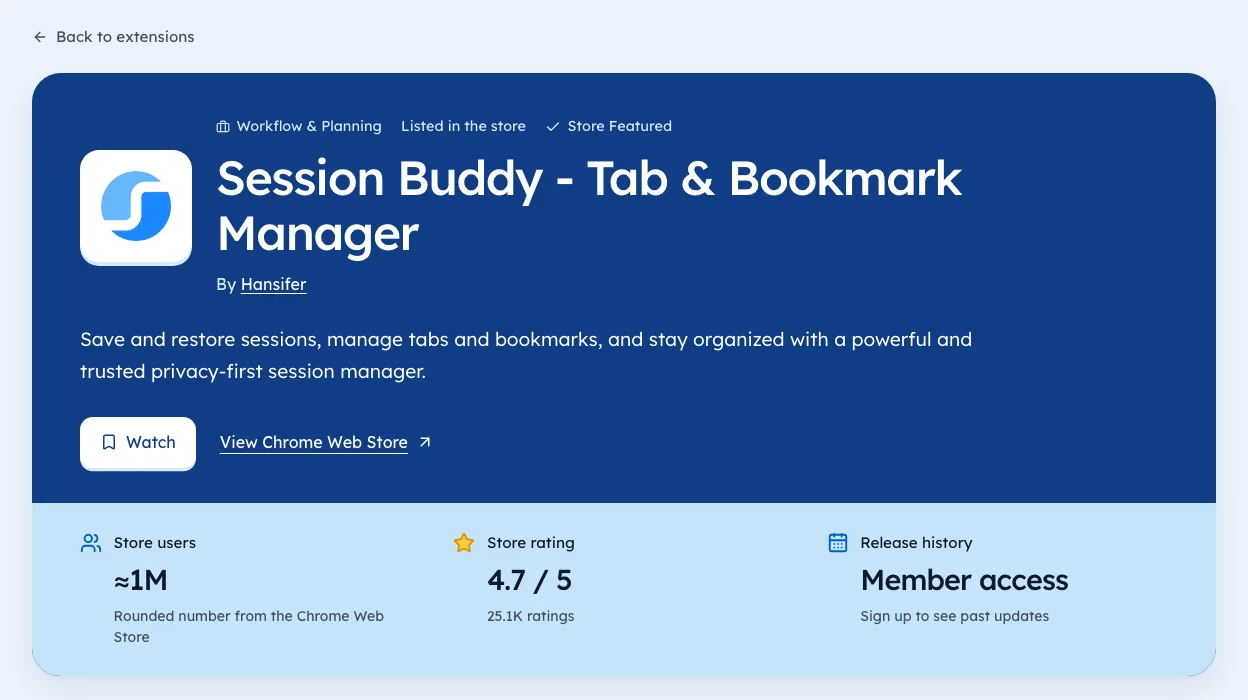
We're biased, since we make it. Ext Watch shows the title, summary and screenshot count of rival listings side by side, with the date seen. The extension detail page is a quick way to study a competitor.
Rewrite your first description line today. It's often the only line a visitor reads.
Questions people ask
How do I get my extension found in the Chrome Web Store?
Name the job clearly in the title, repeat it in the first description line, and show it working in screenshots.
Does the description affect search in the Chrome Web Store?
Google's docs point to relevant, clear listing text. Keyword stuffing breaks policy.
How many screenshots should a listing have?
Most big listings in our 3 Oct 2026 crawl had three or more.
Where these numbers come from
- developer.chrome.comCreating a great listing pageAccessed 3 Oct 2026
- developer.chrome.comProgram policiesAccessed 3 Oct 2026
- developer.chrome.comDiscovery on the Chrome Web StoreAccessed 3 Oct 2026


745 extensions tracked in SEO extensions. See them all.
Extensions gaining users fastest, and what they changed. Updated 3 Oct 2026 from our Chrome Web Store crawl