The short answer
A sale usually shows up as a new publisher name, a new website, a rewritten privacy policy or a sudden burst of permissions. No single field proves a Chrome extension ownership change. Look for two of those changing together, seen in two separate checks.
- Watch publisher name, website, privacy policy and permissions.
- Require two signals, seen twice, before calling it a sale.
- The Great Suspender is the best-known warning case.
- Our own first crawl produced 33 false \"owner change\" alerts.
A Chrome extension ownership change is more common than it sounds. Usually it's quiet and harmless. Sometimes it isn't, and users find out after the damage is done.
The same habits sit inside competitor analysis for a Chrome extension.
The case everyone cites
The Great Suspender had about 2 million users, per the project's GitHub issue. Its original developer stepped back in June 2020. Version 7.1.8, released in October 2020, began contacting third-party servers and running code from them.
Microsoft removed it from Edge and Google later force-disabled it in Chrome.
The warning signs were public. A new owner, an unexplained update and a new domain showed up before the removals.
Signals of a Chrome extension ownership change
| Signal | Strength alone | Stronger when paired with |
|---|---|---|
| "Publisher name changes" | Medium | New website |
| "Website domain changes" | Medium | New privacy policy |
| "Privacy policy rewritten" | Medium | New permissions |
| "Broad permissions added" | Medium | New outside domains |
| "Support email domain changes" | Low | Any of the above |
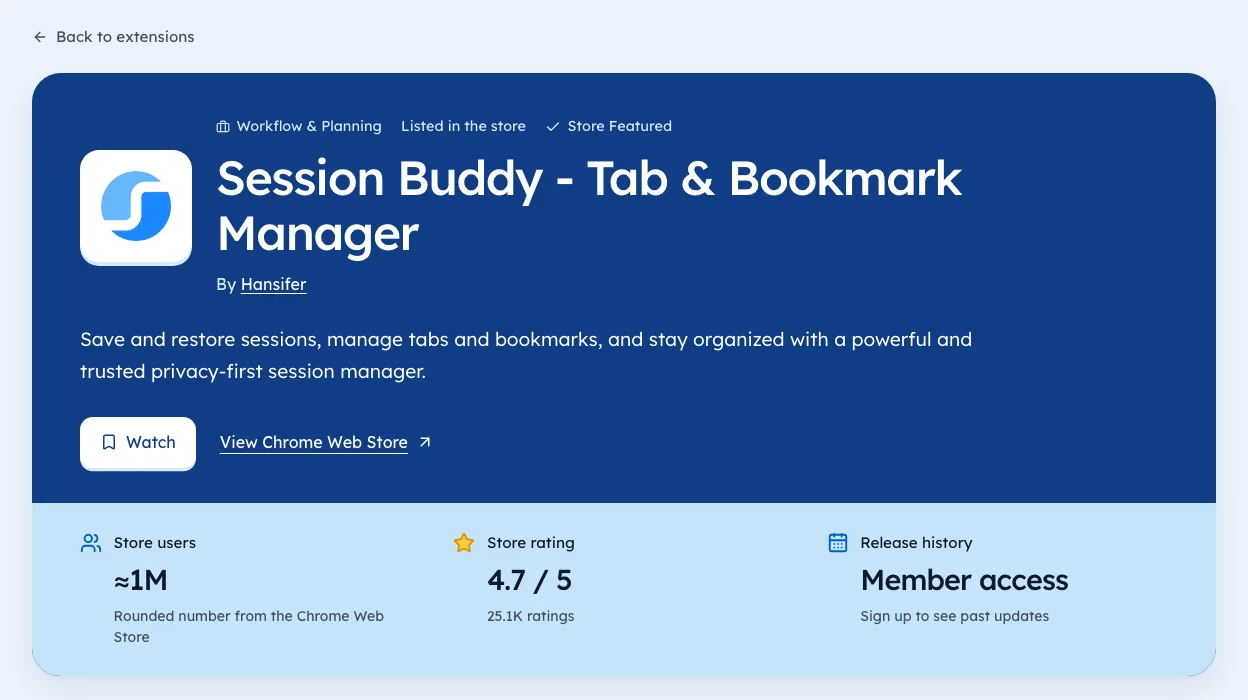
You can check these figures on the Privacy & Security category page, each with the day we saw it.
Our own false alarm
On 2 Oct 2026, the first day of our own crawl, our system flagged 33 publisher changes. One extension was even flagged twice. None were sales. We had compared publisher IDs from two different formats.
Never call a sale from the first day of tracking, or from one field. Our fix ignores that first day and only counts a change against an earlier crawl of our own.
A step-by-step check for one extension
When you suspect a sale, a short routine settles most cases in ten minutes. Run it once now and again in a week.
- Open the store listingNote the publisher name, website and support email.
- Compare with your notesor an older snapshot.
- Open the privacy policyLook for a new company name or new data uses.
- Check the permissionsin chrome://extensions under Details.
- Read the last two update notes, if the developer posts them.
- Search the extension's nameplus "sold" or "new owner" for any public statement.
If two or more of these changed, and the second check confirms it, a sale is likely. If only one changed, it may be a rebrand or a company restructure.
How common broad access is
Broad permissions are what make a sold extension risky. A tool with access to every site can do a lot in the wrong hands. In our crawl observed 3 Oct 2026, 11,272 of 65,655 extensions asked for access to all sites, and 4,776 asked for cookies.
| Permission | Extensions asking (3 Oct 2026) |
|---|---|
| All sites | 11,272 |
| cookies | 4,776 |
| webRequest | 3,634 |
| history | 528 |
An extension in this table that changes owner deserves a closer look than one that only stores settings. Our guide to permission changes covers what each one allows.
For teams that manage browsers
If you manage Chrome for a company, ownership changes belong in your review process.
- Keep an approved list with the publisher name and permissions at the time of approval.
- Re-review on any publisher or website change, not just on new permissions.
- Pin versions for critical tools where your setup allows it.
- Block high-risk permissions by default in your browser policy.
A quiet sale followed by a broad update can reach every managed browser in a day. A short list and a weekly check catch most of it.
For sellers: doing it cleanly
If you're the one selling, a few steps keep users' trust and keep you within the rules.
- Tell users about the new owner in your update notes and on your website.
- Ask for explicit consent before any user data moves, as Google's policy requires.
- Check what the buyer plans to change, in writing.
- Keep the privacy policy accurate on the day the sale closes.
Our guide to selling a Chrome extension covers the rest of the handover.
A short history of why this matters
Sold extensions have caused trouble often enough that browser makers and security teams watch for it. The Great Suspender is the best-known case, but the pattern is older and broader.
| Pattern | What tends to happen |
|---|---|
| Popular free tool, tired developer | An offer arrives from an unknown buyer |
| Quiet sale | Listing stays the same at first |
| First update after sale | New permissions or outside domains |
| User reports | Reviews mention odd behaviour |
| Store action | Removal or a forced disable, sometimes much later |
Not every sale follows this path. Most are fine. But the early steps are visible in public data, which is why tracking them is worth a few minutes.
Questions to ask a developer directly
If a tool you rely on seems to have changed hands, it's fair to ask. Many developers answer.
- Has the extension been sold or transferred?
- Who maintains it now?
- Has the privacy policy changed, and why?
- Why did the last update add new permissions?
A clear, quick answer is a good sign. Silence, or a vague reply, is a reason to switch to an alternative while you wait. You can find alternatives by job on our niche pages.
What we track and why
We're biased, since we build Ext Watch. For listings we crawl, we keep the publisher name, website and permissions per version, with the date we saw each one. After our own false alarm on day one, we only flag a change when two fields move and a later crawl confirms it.
That two-signal, two-check rule is worth copying even if you track by hand. It keeps you from raising alarms over a rebrand or a data quirk. Our extension pages show these fields for listings we've crawled.
What to do if a tool you use was sold
- Check the listing's publisher name and website against your notes.
- Read the current privacy policy for new data uses.
- Look at what permissions the latest version requests.
- If anything looks off, disable it and wait for clarity.
Google's program policies allow user data to move in a sale only after explicit prior consent from the user. A sudden policy rewrite after a sale deserves a careful read.
We're biased, but Ext Watch logs publisher and website fields over time with dates, and it now applies the two-crawl rule above. Pair it with a look at permission changes and automatic competitor tracking.
Write those five publisher names down today. A baseline makes any change obvious.
Questions people ask
Can Chrome extensions be sold?
Yes. Developers transfer them, and the store doesn't put a banner on the listing.
How do you know if an extension changed owners?
Compare the publisher name and website against an earlier note or snapshot.
What happened to The Great Suspender?
It had about 2 million users. After a new owner took over, version 7.1.8 began contacting third-party servers, and it was later removed from Edge and force-disabled in Chrome.
Does the Chrome Web Store tell users when an extension is sold?
No. There's no banner or notice on the listing. Users find out from changes in the listing or the extension's behaviour.
Is it legal to sell a Chrome extension with users?
Selling the extension is allowed. Moving user data needs explicit prior consent from users under Google's policy. Ask a lawyer about anything beyond the store rules.
What changed
- Added a step-by-step check, a guide for teams that manage browsers, notes for sellers, and real permission counts from our 3 Oct 2026 crawl.
Where these numbers come from
- github.comThe Great Suspender: GitHub issue on the ownership changeAccessed 3 Oct 2026
- developer.chrome.comChrome Web Store Program PoliciesAccessed 3 Oct 2026
Part of our guide: Competitor analysis Chrome extension method, step by step. More in Tools and comparisons.


286 new extensions in the last 30 days in Privacy & Security. See them all.
Watch any extension for user, rating, version and owner changes. Updated 3 Oct 2026 from our Chrome Web Store crawl