
The short answer
It comes down to five facts per rival: users, rating with its count, last update, permissions and how it charges. The first four sit on the store listing. Pricing usually lives on the publisher's own site, so check it there. That's the whole competitor analysis Chrome extension builders need to start.
- Five facts per rival, each with the date you saw it.
- Pricing rarely appears on the listing.
- Only 37% of extensions in our crawl listed a website, as of 3 Oct 2026.
- Low rating counts make averages shaky.
A competitor analysis Chrome extension sheet is only as good as its worst column. Usually that's pricing, because people guess it from the listing and guess wrong.
Competitor analysis Chrome extension checklist: five facts
| Fact | Where to find it | Watch out for |
|---|---|---|
| "Users" | Store listing | Rounded buckets past a size |
| "Rating and count" | Store listing | 4.9 from 7 ratings means little |
| "Last updated" | Store listing details | One date, not a history |
| "Permissions" | Install prompt or manifest | Broad access can scare buyers |
| "Pricing" | Publisher's website | Listing text often skips it |
Google documents the listing fields a developer can fill in.
A rating needs its count beside it. In our crawl of 65,655 extensions on 3 Oct 2026, 23,727 had no ratings at all. That's about a third.
Step by step
- List every rival that ranks for your main search term.
- Record the five facts with today's date.
- Open each publisher's site and find a pricing page.
- Read the newest one- and two-star reviews on the store.
- Note what each rival says first in its description.
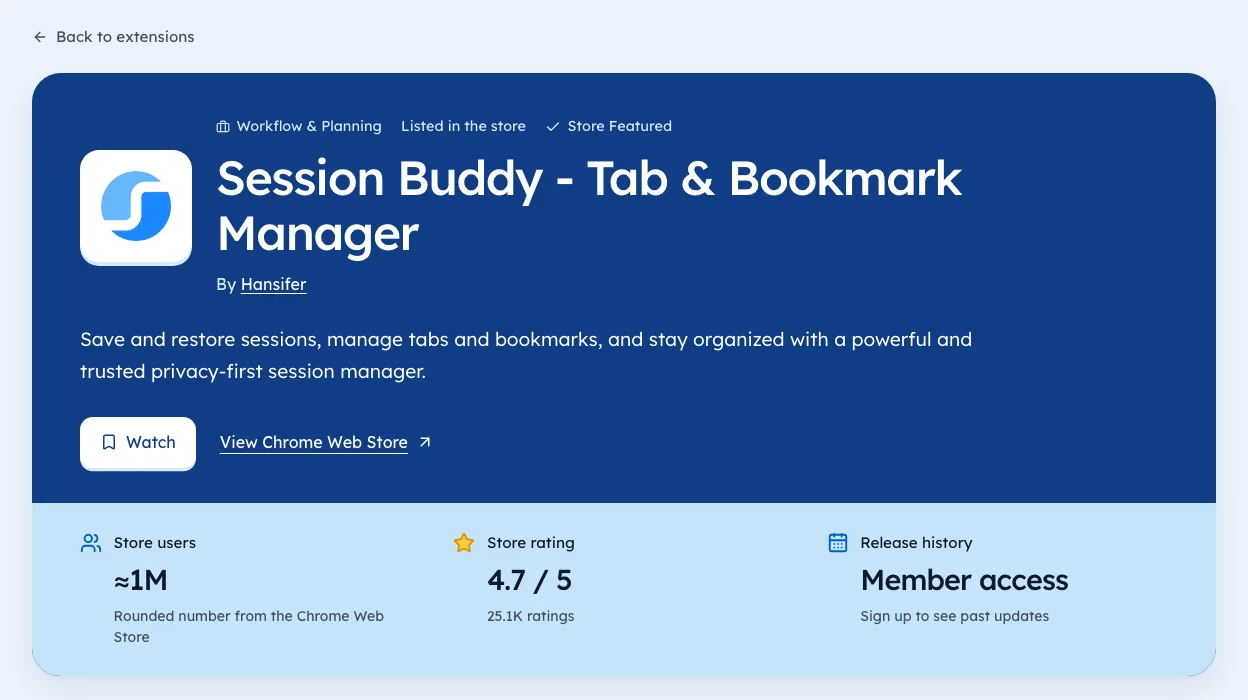
To test this on real listings, start with the shopify spy tools page.
Turning the sheet into a decision
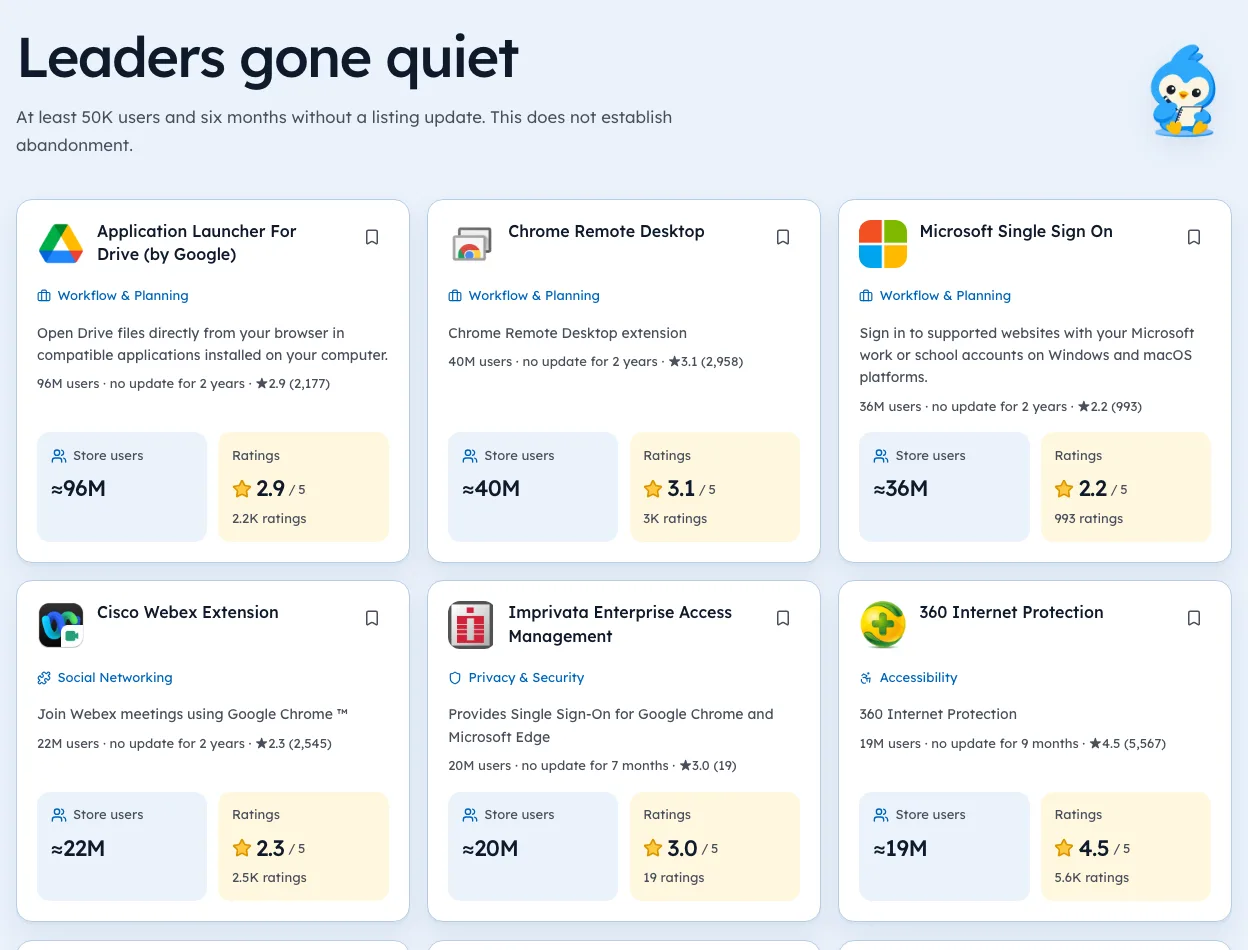
Look for a rival with lots of users, a weak rating on a decent count, and an old update date. That combination suggests people need the job done and aren't thrilled with how it's going.
To judge how crowded a niche is, see chrome extension competition.
Then check pricing. If that rival charges and still frustrates people, you've found someone else's customers waiting for a better option.
Every guide in this series
This page is the hub for our guides on competitor research. Each one goes deeper on a single step:
- Competitor Tracking for Chrome Extensions, Automatically
- Chrome Stats API Alternatives
- Chrome Extension Competition
- Chrome-Stats Alternative
- Chrome Extension Ownership Change
- 6 Chrome Extensions for Competitor Analysis, With Limits
- Chrome Extension Permission Changes as an Early Warning
- Micro SaaS Idea Finder
- Competitor Price Tracking
- Chrome Stats Review
A worked example: tab managers
Here's the method run on one niche, using our 3 Oct 2026 crawl. The tab managers niche held 352 extensions, 32 of them above 10,000 users, with an average rating of 4.30.
Counting the words in the big listings' names showed "tab" (27 times), "manager" (17), "session" (6) and "suspender" (6). That tells you what the leaders compete on. Sessions and suspending are the smaller jobs inside the niche, and a new tool could lead with either.
The next step is the five facts for the top ten listings. In a niche this size, that takes about an hour. Our tab managers niche page lists every one with users and ratings.
A template sheet
One row per rival, one column per fact, plus the date. Keep it this simple.
| Date | Rival | Users | Rating (count) | Last updated | Permissions | Pricing | Notes |
|---|---|---|---|---|---|---|---|
Add a notes column for anything odd: a new publisher name, a jump in permissions, a run of angry reviews. Those are the things you'll want to remember next month.
From sheet to positioning
The sheet is only useful if it changes what you build or say. Three questions turn it into a plan.
- Where are the leaders weak?Low rating on a decent count, or no update in a year.
- What do they all lead with?If every rival says the same thing, say something else.
- Who do they ignore?A group of users the big tools don't speak to, like teams, students or one profession.
Write one sentence that answers all three. That sentence is the first line of your listing.
How often to refresh
A competitor sheet decays. Rivals ship updates, add permissions and change prices. In our 3 Oct 2026 crawl, 19,443 of 65,655 extensions had shipped an update in the previous 30 days.
- Monthly for most builders.
- Weekly in the month around your launch.
- Right away when a rival's version or publisher changes.
Keep old rows instead of overwriting them. The history is where the patterns show up.
Mistakes that spoil a competitor sheet
Most bad decisions from a sheet come from a few avoidable errors.
| Mistake | What goes wrong | Fix |
|---|---|---|
| No dates | You can't tell old facts from new | Date every row |
| Ratings without counts | A 4.9 from 7 looks like a winner | Always record the count |
| Guessing pricing from the listing | Paid tools look free | Check the website |
| Only tracking leaders | You miss fast-moving newcomers | Include young listings |
| Never refreshing | The sheet goes stale | Set a monthly reminder |
Fix these and a simple spreadsheet becomes more reliable than most paid reports.
Including newcomers
Leaders tell you about the past. Newcomers tell you where a niche might go. Add a few young listings to your sheet, even small ones.
- Search your phrase and sort by newest, or use a new launches list.
- Add any listing under 90 days old with real ratings.
- Note what they lead with in the first line.
- Watch whether their rating count moves next month.
In our 3 Oct 2026 crawl, only 41 of 11,601 extensions first published in the previous 30 days had reached 1,000 users. The ones that do are worth watching. Our New launches page lists them with dates.
Sharing the sheet with a team
If others will use the analysis, a few habits keep it useful.
- One owner who refreshes it monthly.
- A short summary at the top: three findings, one decision.
- Links to each listing, so anyone can check a fact.
- A notes column for anything odd, signed with initials.
That turns the sheet from a one-off project into something the whole team trusts.
Keep it fresh
A sheet goes stale fast. We're biased, but this is the job we built Ext Watch for: it records the same facts on a schedule, each with an as of date. A monthly manual refresh works too.
Once the sheet is solid, widen out with Chrome extension market research, or see how assistants can read it through an MCP server.
A competitor fact without a date is a rumour.
Fill in one row tonight, with the date. The rest gets easier after the first.
Questions people ask
How do you find competitors for your Chrome extension?
Search your main keyword on the store and note everything on the first page, plus the 'related' items you see in the browser.
What tools help with competitor analysis?
Our guide to the best Chrome extensions for competitor analysis covers six, each with its limits.
What should a competitor analysis for a Chrome extension include?
Users, rating with its count, last update, permissions and pricing for each rival, each with the date you saw it.
How many competitors should I track?
Five to ten close rivals is enough for most decisions. Track more only if you're sizing a whole niche.
How often should I update a competitor sheet?
Monthly works for most builders. Weekly makes sense around your own launch or a rival's big update.
What changed
- Refreshed counts to our 3 Oct 2026 crawl and added a worked example, a template sheet, positioning from the sheet and how often to refresh.
Where these numbers come from
- developer.chrome.comChrome Web Store: Listing information fieldsAccessed 3 Oct 2026


72 extensions tracked in Shopify spy tools. See them all.
Watch any extension for user, rating, version and owner changes. Updated 3 Oct 2026 from our Chrome Web Store crawl