
The short answer
Only a thin slice of users leave a rating. In our 3 Oct 2026 crawl, rated extensions with 1M+ users had a median of 0.76 ratings per 1,000 users. Small ones had far more per user, mostly from early fans. Chrome Web Store reviews track installs loosely, so read them as a sample and check the count, not just the stars.
- Big extensions: 0.76 ratings per 1,000 users at the median.
- Under 1,000 users: about 16 per 1,000, from far fewer people.
- 20,791 of 61,820 crawled extensions had no ratings at all (3 Oct 2026).
- Median star rating fell as user counts grew.
Think of Chrome Web Store reviews as the people who stop to sign a guestbook. Most visitors walk past, glance at the page, and leave without writing a word, even when they loved the place and come back every single week.
How many users leave Chrome Web Store reviews
We divided each extension's ratings by its users, then took the median for each size band.
| Users | Extensions with 1+ rating | Ratings per 1,000 users | Median rating* |
|---|---|---|---|
| 1M+ | 346 | 0.76 | 4.17 |
| 100K to 1M | 1,463 | 1.85 | 4.28 |
| 10K to 100K | 6,028 | 2.75 | 4.31 |
| 1K to 10K | 15,979 | 5.00 | 4.48 |
| Under 1K | 16,700 | 17.91 | 4.82 |
*Median rating among extensions with 20 or more ratings.
What the table tells you
Small extensions get rated by a bigger share of users. Early users are often fans.
As a tool grows, the share who rate drops and the stars drift down. Normal. More strangers means more honest, and more mixed, opinions. Reviews are one lever in Chrome Web Store SEO, and the ratings guide shows the star bands.
A 4.3 from 50,000 people says more than a 4.9 from 30.
For the current numbers, check the Tools category page.
Spotting odd numbers
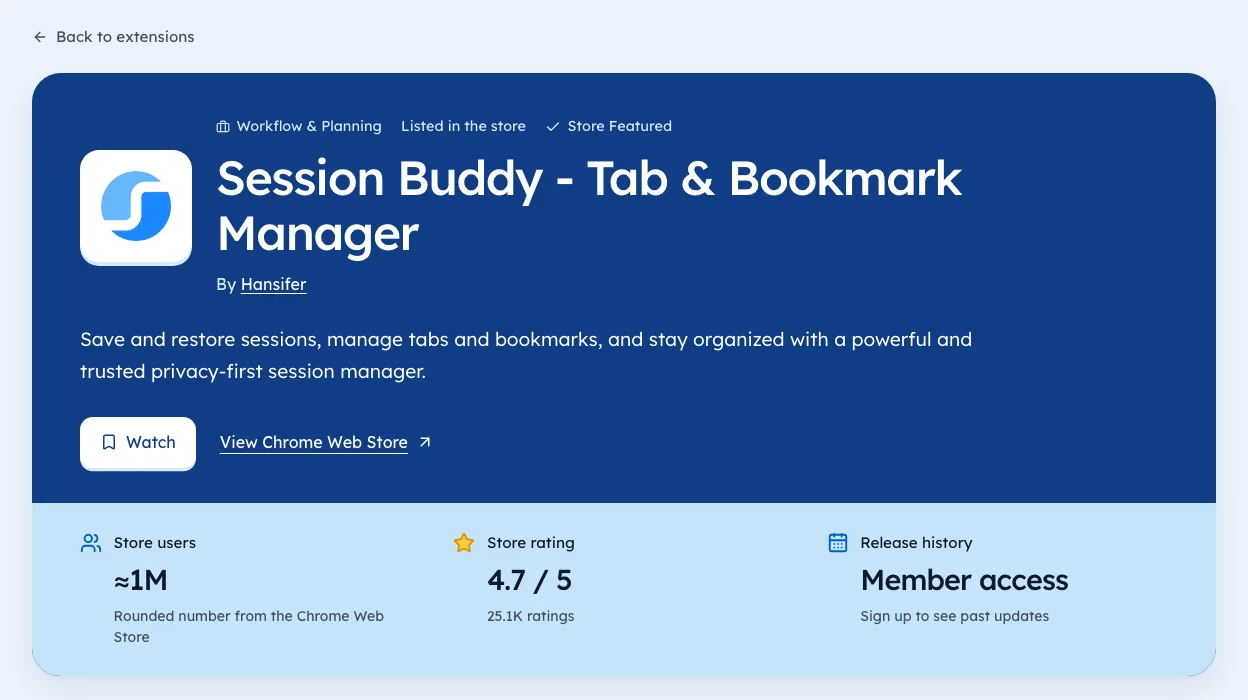
Say an extension shows 1M users and four ratings. That's about 0.004 per 1,000, a tiny fraction of the big-extension median.
It might be a company tool pushed by an IT team to thousands of staff laptops, where nobody ever opens the store page, let alone the rating button. It might be inflated. The numbers can't tell you which, but they tell you to look closer.
Getting more honest reviews
- Ask after a win.Prompt once, right after the tool does its job.
- Ask once.Repeated prompts annoy people into one-star ratings.
- Reply to complaints.The store lets developers answer reviews.
- Fix the top complaint.Then say so in your update notes.
The store's program policies ban fake or paid reviews. Getting caught can cost you the listing, as our post on buying installs explains.
A note on review text
We store star ratings and counts. We don't collect written review text, because the store's robots.txt disallows crawling review pages, and we respect that. To read the words, open the listing in your own browser.
Replying to reviews
Replies are public and stay on the listing. People deciding whether to install read them. A good reply does three things.
- Thanks the person, even if the review is unfair.
- Answers the problema fix, a setting to try, or a plain "we're working on it".
- Gives a way to follow up, such as a support email.
| Review type | Good reply |
|---|---|
| Bug report | Thank them, say which version fixes it |
| Missing feature | Say if it's planned, or explain why not |
| Confusion | Point to the setting, in one line |
| Angry, no detail | Ask what went wrong, offer support email |
| Praise | A short thanks is enough |
Don't argue. Even when you're right, a long defence reads badly to everyone else.
When to report a review
The store lets you flag reviews that break its rules. Use it sparingly. Reviews worth reporting usually contain spam, abuse, or content about a different product. A harsh but honest review isn't one of them.
If a burst of odd reviews arrives at once, with similar wording, note the dates and report them together. Keep a record in case you need to explain later.
Using reviews to decide what to build
Reviews are free user research. Many builders read them once and forget them. A simple habit turns them into a plan.
- Tag each new review with one word: bug, feature, confusion, praise.
- Count the tags each month.
- Fix the top bug or confusion before adding features.
- Say so in your update notes, and reply to the reviews that asked.
When people see their complaint fixed and answered, some update their rating. That's one of the few honest ways to move a rating up. Our guide to store ratings explains why even small moves matter.
Reviews on rivals' listings
The same reading works on competitors. Their two- and three-star reviews list exactly what users wish was better. Our guide to sizing competition shows how to turn those complaints into an angle for your own tool. You can browse rivals by niche on our niche pages.
When to ask for a review
Timing changes who rates and how. Here's a simple guide to asking well.
| Moment | Ask? | Why |
|---|---|---|
| Right after install | No | They haven't seen any value |
| After the first success | Yes | Goodwill is highest |
| After a long run of use | Yes, once | They clearly rely on it |
| After an error | No | You'll get the frustration |
| After a fix they asked for | Yes | They see you listen |
Ask once, with a way to dismiss it for good. Repeated prompts annoy the people most likely to help you.
Reviews and store policy
Google's program policies are strict about reviews. A few lines to stay inside.
- No rewards for ratings, including free features or discounts.
- No asking only happy users through a filter that hides the store link from others.
- No fake accounts or paid review services.
- No pressure in the prompt, like "please give us 5 stars".
Breaking these can lead to removal. Honest asks at the right moment work better anyway.
Reading review counts on rivals
You can learn a lot from a rival's rating count over time, even without reading the text.
- Note the count and the date.
- Check again in a month.
- Compare the change with tools of similar size.
A rival whose count climbs fast is gaining users or asking well. One whose count barely moves for months may be stalling. Our guide to measuring growth explains why this beats the rounded user count. You can see rating counts with dates for listings we've crawled on our extension pages.
Where Ext Watch fits
We're biased, as the makers. Ext Watch records each extension's rating and rating count on every day we check, so over time you'll see a rating move, with dates. Extension pages show it.
Ask one happy user for a rating this week. Then sign the guestbook yourself, on someone else's tool.
Questions people ask
Do reviews increase Chrome extension installs?
Google lists user signals as part of discovery. Our snapshot shows big extensions almost always have ratings, but it can't prove cause.
How many users leave a review on the Chrome Web Store?
In our 3 Oct 2026 crawl, the median for 1M+ extensions was 0.76 ratings per 1,000 users.
Can I remove a bad review?
You can reply to it. Report a review only if it breaks the store's rules.
How should I reply to a one-star review?
Thank them, say what you've fixed or what to try, and keep it short. Future users read the reply more than the complaint.
How many extensions have no reviews at all?
In our 3 Oct 2026 crawl, 23,727 of 65,655 extensions had no ratings. A handful of honest ratings already puts you ahead of a third of the store.
What changed
- Refreshed the ratio table to our 3 Oct 2026 crawl, and added how to reply to reviews, when to report one, and how reviews feed product decisions.
Where these numbers come from
- chromewebstore.google.comChrome Web Store robots.txtAccessed 3 Oct 2026
- developer.chrome.comProgram policiesAccessed 3 Oct 2026
Part of our guide: Chrome Web Store SEO: titles, descriptions, screenshots. More in Growth and ranking.


4,821 new extensions in the last 30 days in Tools. See them all.
Extensions gaining users fastest, and what they changed. Updated 3 Oct 2026 from our Chrome Web Store crawl